
Construction Site Solar Camera Guide: Solar Powered Job Site Security (2026)

Table of Contents
Most construction site theft happens between 6 p.m. and 6 a.m., when the site is empty, the gate is chained and nobody is watching. Equipment theft is estimated to cost the US construction industry hundreds of millions of dollars every year. The sites that lose the most are usually the ones without power or broadband at the point of risk. A construction site solar camera is the practical answer. A solar panel and a battery replace the power run. A 4G SIM card replaces the network run, and the whole unit moves to the next job when the project ends.
This guide walks through the six steps that turn a bare yard into a monitored site. You will learn risk assessment, zone-by-zone coverage of equipment and materials, and the solar and 4G power math. Mobile mounting follows the project, and remote monitoring works from anywhere. It ends with a site coverage map table, a theft alarm integration plan and a selection checklist for contractors and wholesalers. When buyers search "construction site solar camera", they are usually comparing exactly these options for a temporary site that will not exist in a year.
Keep reading for more!
The Snapshot
- Construction theft is a night-time problem: industry surveys typically put 80% or more of equipment and material theft on nights and weekends, when a solar powered camera is the only camera that can watch an unpowered site.
- Panel sizing rule of thumb: panel watts ≈ 6-8× camera watts. A 4W camera needs a 30W panel at 4.5 peak sun hours, plus a 360Wh battery for 3-4 days of autonomy in bad weather.
- Motion-triggered recording cuts 4G data by 80-95%. Continuous 4MP streaming at 3 Mbps burns about 1.35 GB per hour, while event-based recording keeps a typical 30-50GB monthly plan viable.
- A job site camera on a 3-6 m pole with a wheeled or ballast base re-deploys in 15-30 minutes, so coverage moves with the project phase instead of the other way around.
- Full-color night vision beats IR for evidence: a 5MP F1.0 full color camera records identifiable color to 20-30 m in zero light, while an IR camera records grayscale shapes that rarely identify a suspect in court.
Why Construction Sites Need Solar Cameras
A construction site is a warehouse without walls. Equipment is parked outdoors, materials are stacked in open yards, and the perimeter fence is often chain-link that a bolt cutter opens in seconds. The assets are high-value and portable: excavators, loaders and generators sell fast, and copper, lumber and rebar disappear overnight. Most theft happens after hours, so the site needs cameras that work at night, and it needs them now, not after the first loss.
The second problem is infrastructure. Trenching a power feed typically runs $15-40 per meter once labor, cable and reinstatement are counted, and broadband rarely reaches a site at all. A project that lasts 6-12 months makes a permanent install absurd: the power line would outlive the job. When buyers search "solar construction camera", they usually need a camera that watches an unpowered yard. It must run without a monthly power bill and without a cable run that gets ripped out by the next bulldozer pass.
Solar and 4G solve both problems at once. A panel and battery cover power, and a cellular SIM covers network, so the camera works anywhere the site does. The full sizing math, including panel watts, battery Wh, sun hours and 4G data, is covered in our solar 4G camera guide. The product family is the same one explained in our solar security camera guide. This article applies that math to the construction site specifically. It covers mobile mounts, dust and weather, temporary power, and a coverage map built around site zones rather than rooms.
Step 1: Site Risk Assessment
Before buying a single camera, walk the site for one to two hours and answer three questions. The answers decide how many cameras you need, where they point, and which zones get the best units. A camera budget built on a risk assessment beats one built on "a few cameras around the yard" every time.
1.1 Walk the perimeter and log the entries
Note every gate, gap and blind corner. A typical chain-link fence is 1.8-2.4 m high and easy to climb. Assume the perimeter is porous, and plan camera coverage at the entry points and the high-value zones behind them. Mark where vehicles can enter, where a truck can back up to a container, and which corners are invisible from the office trailer. Every entrance should be covered by at least one camera, and the gate by two: one for the vehicle, one for the driver's face.
1.2 Rank the assets by theft value
Rank what is on site in three tiers. Tier 1 is heavy equipment: excavators, loaders and generators worth $50,000-500,000 each. Tier 2 is portable high-value items: tools, copper, pumps and batteries. Tier 3 is materials: lumber, rebar, wiring and fittings. A construction site camera plan allocates the best cameras and the strongest alarms to Tier 1 first. One stolen excavator pays for the entire camera system ten times over.
1.3 Map power, network and sunlight
Walk the site with a phone and log three things. Note where an outlet exists, usually only at the office trailer. Check where 4G signal is strong, and where trees or buildings will shade a solar panel through the day. Panel output collapses under shade. A camera position with clear sun from 9:00 to 15:00 is worth more than a better viewing angle in shadow. These three maps, covering entries, assets and utilities, become the skeleton of the coverage table in Step 6 of this guide.
Step 2: Covering Equipment and Material Zones
Construction sites divide naturally into zones, and each zone has a different theft profile. The table below is the standard starting layout for a medium site; adjust rows to the actual layout of the job.
| Zone | What is at risk | Recommended camera | Why |
|---|---|---|---|
| Main gate | Vehicles, tailgating, after-hours entry | Bullet, 4-5MP, 2.8-6 mm | Narrow field, face and plate capture |
| Equipment yard | Excavators, loaders, generators | Solar full color, wide angle | Large open area, night color evidence |
| Material storage | Lumber, rebar, copper, wiring | Solar 4-5MP | No power nearby, storage moves |
| Tool containers | Tools, batteries, small equipment | Bullet with alarm pairing | Chokepoint, high-value per square meter |
| Fuel and generator area | Fuel theft, generator theft | Solar full color | Night activity, high frequency target |
| Office trailer | Paperwork, electronics, keys | Dome or bullet, indoor rated | Controlled entry, protected from weather |
← swipe to scroll →
Camera choice follows the zone. Bullet cameras with narrow fields suit chokepoints like gates and container doors (see our bullet cameras). Solar cameras with wide-angle lenses cover open yards where power does not exist (see our PoE cameras). Field of view guidance: a 2.8 mm lens sees roughly 90-110° and identifies a person at 5-8 m. A 6 mm lens narrows the view to about 50° and pushes identification to 12-15 m. Match the lens to the zone's identification distance, not to the size of the area.
A construction site camera also needs to survive the environment. Spec IP66 minimum (dust-tight, protected against water jets), an operating range around -30°C to 60°C, and vandal-resistant housing where cameras sit within reach. Full-color cameras with white-light fill do double duty. They record usable color at night, and the light itself deters. That makes them the default for equipment yards and material storage.
Step 3: Solar and 4G Power and Connectivity
A solar camera runs on two chains, and failures in either one look identical from the app: "camera offline". The power chain runs panel, charge controller, battery and camera. The camera never runs directly off the panel, so battery capacity, not panel wattage, sets your real autonomy. The network chain is SIM → LTE modem → app or cloud, and the camera's motion detection decides how much data that chain burns.
3.1 Sizing the power budget
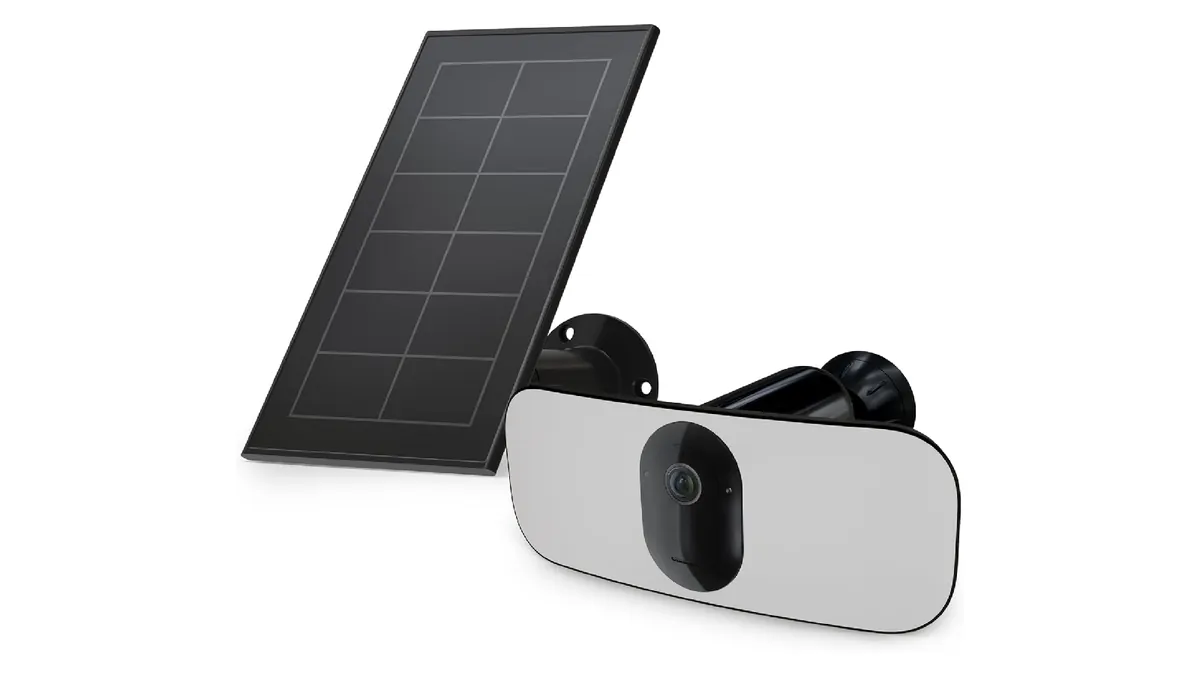
Three equations cover every solar camera. Daily energy need (Wh) = camera draw (W) × 24. Panel size (W) = daily Wh ÷ (peak sun hours × 0.75), where 0.75 accounts for panel derating and controller loss. Battery size (Wh) = daily Wh × autonomy days ÷ usable depth of discharge. Work the standard job-site example. A 4W camera needs 96 Wh per day. A 30W panel at 4.5 peak sun hours delivers about 101 Wh. A 360Wh LiFePO4 battery gives roughly 3.7 days of autonomy with zero sun. A solar powered construction camera built from those three numbers is the standard building block for site deployments.
| Example build | Camera draw | Daily need | Panel @ 4.5 sun h | Battery (3-day autonomy) |
|---|---|---|---|---|
| 2W WiFi solar camera | 2W | 48 Wh | 15W | 120 Wh (12.8V ~10Ah) |
| 4W 4G solar camera | 4W | 96 Wh | 30W | 360 Wh (12.8V ~28Ah) |
| 10W solar PTZ camera | 10W | 240 Wh | 80W | 900 Wh (12.8V ~70Ah) |
← swipe to scroll →
3.2 Sizing for the worst three months, not the average
Peak sun hours are not hours of daylight. Annual planning values are roughly Phoenix 6.4, Madrid 5.0, Shanghai 4.0, Munich 3.1, London 2.8. Winter months drop to a fraction of those. A site in a cold climate should size the panel for the worst three months. If winter sun falls to 1.5 hours, the same 4W camera needs 96 ÷ (1.5 × 0.75) ≈ 85W. Call it 100W or two 50W panels. Undersizing the panel is the number one cause of solar camera failure on construction sites. It shows up months later as a battery that never fully recovers. Use LiFePO4 batteries, which charge down to -20°C and last 2,000-3,000 cycles, and plan 5-7 days of winter autonomy instead of 3.
3.3 Budgeting the 4G data
4G is the recurring cost that decides viability. A 4MP camera streaming continuously at 3 Mbps burns about 1.35 GB per hour, which exhausts a 50GB plan in under two days. Motion-triggered recording cuts both battery draw and data by 80-95%. The camera sleeps, wakes on detection and records 10-60 seconds per event. That is why event-based recording is the design point of every serious job-site camera. A 256GB microSD card typically holds a full season of event clips, with the important ones pushed to the app. Choose cameras with dual-SIM slots and Cat 1 or Cat 4 LTE modules, and check the carrier's coverage map before mounting (see our outdoor cameras). The solar camera construction crews spec today must survive rain, dust, cold starts and a forklift nudging the pole. The sizing above is what keeps them alive through it.
Step 4: Mobile Mounting That Moves With the Job
The difference between a building camera and a site camera is mobility. A construction site changes shape every few weeks: the laydown yard moves, the crane goes up, the fence line shifts. The mounting system decides whether your cameras follow the work or become obsolete.
4.1 Mounting options ranked for sites
- Pole mount (3-6 m): the standard for yards and gate lines; gets the camera above equipment height and the panel into clear sun. Typical install time under an hour with a concrete base or ground spike.
- Wheeled trailer mast: a 3-4 m mast on a trailer with a 500-1,000 kg ballast; towed between zones or sites in minutes. Best for phase changes and multi-site contractors.
- Container clamp and fence bracket: tool-free mounts on shipping containers and chain-link fence; ideal for chokepoint cameras near containers and gates.
- Tripod and temporary stands: quick daytime monitoring of active work zones; lighter duty, fine for short phases.
4.2 Weather and vandal ratings that matter
Spec the housing for the environment before the view. IP66 is the minimum for a construction site, dust-tight and protected against water jets. IP67 only adds short submersion, which is rarely needed above ground. Look for IK10-rated housings on cameras mounted within reach. Remember that a camera on a job site can be stolen too. Security screws, tamper alarms and a lockable enclosure are standard practice, not optional extras.
4.3 The re-deployment routine
Plan 15-30 minutes per camera to move: release the clamp, reposition, aim, re-tighten, and check the app for signal and view. Face the panel south in the northern hemisphere and tilt it close to the site latitude. Re-check for shade twice a year because trees grow. A job site camera that takes 20 minutes to move is worth ten fixed cameras on a project that changes phase every month. Full mounting guidance is in our security camera mounting guide.
Step 5: Remote Monitoring for a Site Without an Office
A monitored site does not need anyone on it. The cameras push events over 4G to the app, and the site manager, or the contractor's head office, watches from anywhere. For a contractor running several jobs at once, this is the difference between checking five sites from a phone and driving to each one.
5.1 App access and VMS integration
Start with the vendor app: P2P connection means no port forwarding, no static IP and no site network at all. For multi-site fleets, choose cameras with ONVIF and RTSP support. Feeds can then join an NVR or VMS at head office, and one dashboard covers each contractor instead of one per camera. Remote viewing should work on a phone over 4G with the sub-stream, typically 1-2 Mbps, while the main stream stays for playback.
5.2 Alerts that survive the environment
A construction site generates motion: forklifts at 7 a.m., deliveries at noon, birds, wind-blown tarps. Use human and vehicle classification to cut false alarms. Draw detection zones that exclude the public road. Schedule the camera so quiet hours raise sensitivity exactly when it matters, since most theft happens between 6 p.m. and 6 a.m. Push notifications typically arrive within seconds of an event, which is fast enough to act on if the response chain is ready.
5.3 Managing the monthly bill
Keep a 30-50GB monthly plan per camera for event-based recording, and check the app's data report after the first week to confirm real consumption. If the site has weak signal, a directional antenna upgrade often fixes it without moving the camera. Dual-SIM failover keeps the site online if the primary carrier drops. Record 24/7 only where the site truly needs it, because continuous recording is where both data and battery budgets die.
Step 6: Theft Alarm Integration
A camera that only records is a witness; a camera with an alarm is a deterrent. The most effective job-site systems pair detection with a local response: light, sound and a notification, so the intruder leaves before the truck is loaded.
6.1 Building the deterrent chain
Detection starts with PIR or radar: PIR typically covers 8-12 m and radar 20-30 m, and human-vehicle classification filters the false triggers. On detection, the camera switches on its white light at 1,000-2,000 lumens typical. It sounds a siren at 110-120 dB and pushes a notification with the clip. The white light alone changes most incidents from theft to abandonment: intruders leave when they are lit up and named.
6.2 Powering the alarm from solar
The siren and light add draw to the power budget. A siren typically pulls 2-5W while active. A camera with an alarm should be sized with the alarm in the daily energy equation, not bolted on after. In practice, a 30W panel and 360Wh battery still cover a 4W camera with occasional siren events. A 10W PTZ with a strobe moves up to an 80W panel and 900Wh battery.
6.3 The response protocol
An alarm is only as good as the response behind it. Define the chain before the first event. An alarm triggers a push notification. The remote viewer verifies from the app whether it is a person, then calls the site manager or guard, and the police if needed. Two-way audio lets the remote viewer warn the intruder directly, and every clip is saved for the police report. Sites with an existing alarm system can use cameras with relay outputs to trigger site sirens. Chokepoint cameras from our bullet camera range capture the face and plate on the way out.
Construction Site Coverage Map
The map below is a complete starting layout for a medium construction site. Priority 1 zones get the best cameras and alarm pairing; priority 3 zones are covered after the essentials are in place. A rule of thumb for a medium site: 4-8 cameras, every entrance covered twice, and one spare camera in the trailer for the phase change.
| Site zone | Assets at risk | Camera type | Mount and height | Priority |
|---|---|---|---|---|
| Main gate | Vehicles, tailgating | Bullet 4-5MP, 2.8-6 mm | Pole, 3-4 m | 1 |
| Equipment yard | Excavators, loaders, generators | Solar full color, wide angle | Trailer mast, 4-6 m | 1 |
| Tool containers | Tools, batteries | Bullet with alarm pairing | Container clamp, 2.5 m | 1 |
| Material storage | Lumber, rebar, copper | Solar 4-5MP | Pole, 3 m | 2 |
| Fuel and generator area | Fuel and generator theft | Solar full color | Pole, 3-4 m | 2 |
| Office trailer | Paperwork, electronics, keys | Dome or bullet | Eave mount, 2.5 m | 2 |
| Blind corners and fence line | Entry points, climbing | Bullet, 6 mm lens | Fence bracket, 3 m | 3 |
| Vertical work area | Tools left overnight | Solar PTZ (optional) | Trailer, 4 m | 3 |
← swipe to scroll →
Two patterns decide most layouts. First, the gate and the equipment yard carry the highest value and the highest theft frequency. They get the full-color night cameras and the alarms. Second, material storage moves, so its cameras should move too. A pole on a ballast base beats a bolted bracket for anything that relocates mid-project.
Selection Checklist for Contractors and Wholesalers
Work through this checklist in order when comparing quotes. Every item maps to a specification line you can demand from a supplier. A supplier that cannot state the numbers is selling marketing, not equipment.
- 1. Solar watts and battery Wh. Minimum 30W panel and 360Wh battery for a 4W 4G camera; confirm the autonomy figure in days with zero sun.
- 2. IP rating. IP66 minimum; IP67 only where flooding is realistic. Reject unspecified housings.
- 3. Operating temperature. Look for -30°C to 60°C and LiFePO4 chemistry so winter charging keeps working.
- 4. 4G bands and dual SIM. Confirm the module covers the carrier's bands at the site and that a second SIM slot exists for failover.
- 5. ONVIF and RTSP. The camera must export to an NVR or VMS, or it becomes a hostage of one app.
- 6. Storage. 256GB microSD typical for a season of event clips, plus app cloud backup for the critical events.
- 7. Mounting kit included. Pole clamp, trailer bracket or ballast base should be in the quote, not a surprise add-on.
- 8. Spares and warranty. Panels, batteries and charge controllers fail eventually; confirm spare parts and a written warranty before bulk ordering.
For wholesalers and integrators buying in volume, add the business checks: MOQ and lead time, firmware update policy, pre-shipment testing, and certification documents. A job-site fleet is a recurring-revenue product line. Cameras move between projects, batteries get replaced, and data plans renew. The supplier relationship matters as much as the spec sheet.
Construction Site Solar Camera FAQs
How long do solar cameras last on a construction site?
With zero sun, a 360Wh battery feeding a 4W camera runs about 3.7 days. With an adequately sized panel, the camera runs indefinitely because the panel replenishes the daily draw. The panel and battery themselves typically last 5-8 years (LiFePO4 at 2,000-3,000 cycles).
Do solar cameras work in winter or during cloudy weeks?
Yes, if the panel is sized for the worst three months instead of the annual average. A cold-climate site should plan 5-7 days of battery autonomy and use LiFePO4 chemistry, which charges below freezing while standard Li-ion cells cannot.
How much 4G data does a job site camera use?
Continuous 4MP streaming at 3 Mbps burns about 1.35 GB per hour. Motion-triggered recording cuts that by 80-95%. A typical event-based camera fits a 30-50GB monthly plan, and a 256GB card holds a full season of clips.
Can I move the cameras when the project phase changes?
Yes. That is the point of mobile mounting. A pole or trailer-mounted camera re-deploys in 15-30 minutes, including panel orientation and a signal check from the app.
Do I need internet or WiFi at the site?
No. The camera connects over a 4G SIM card, and the app works from anywhere. No site network, no port forwarding and no static IP are required.
How many cameras does a typical construction site need?
4-8 cameras for a medium site, with every entrance covered twice and the equipment yard on full-color night cameras. The coverage map in this guide is a complete starting layout.
The Bottom Line
A construction site solar camera system is specified by solar watts, battery Wh, IP rating and 4G data budget, not by the number of cameras. Assess the site first. Cover the gate and the equipment yard before anything else. Size the panel for the worst three months. Mount on mobile masts that follow the project, and tie the cameras into an alarm response chain that ends in a notification on a phone. Done in that order, a small fleet protects the site's real value for the whole project. It moves to the next job when the fence comes down.
At FULLCOLORCAM we build solar and 4G security cameras with 5MP F1.0 full-color night vision, IP66 housings, LiFePO4 power systems and ONVIF support. Every unit is tested before shipping, with free P2P remote access and OEM/ODM service for wholesalers. Send us your site layout and camera count at cj226144@gmail.com for a coverage-matched quote. We will tell you which zones need what, and how many watts each camera really needs.
NEXT STEP
Ready to Upgrade to Full-Color Night Vision?
Send us your requirements — our team responds by email.
Written by
Ray ChanCCTV Buyer's Guide Author · Full-Color Night Vision Specialist. Ray helps global importers and integrators source factory-direct security cameras.