
Indoor Security Cameras
Indoor security cameras for offices, shops and homes — full-color night vision, two-way audio, privacy shutter options and no subscription. A good indoor camera records locally, alerts on real motion and leaves privacy controls in your hands.
Sourced on demand through our supply network — this line is not part of our stocked range. Availability, configuration and lead time are confirmed per project: tell us the site, the quantity and the destination, and we come back with what can actually be supplied and when.
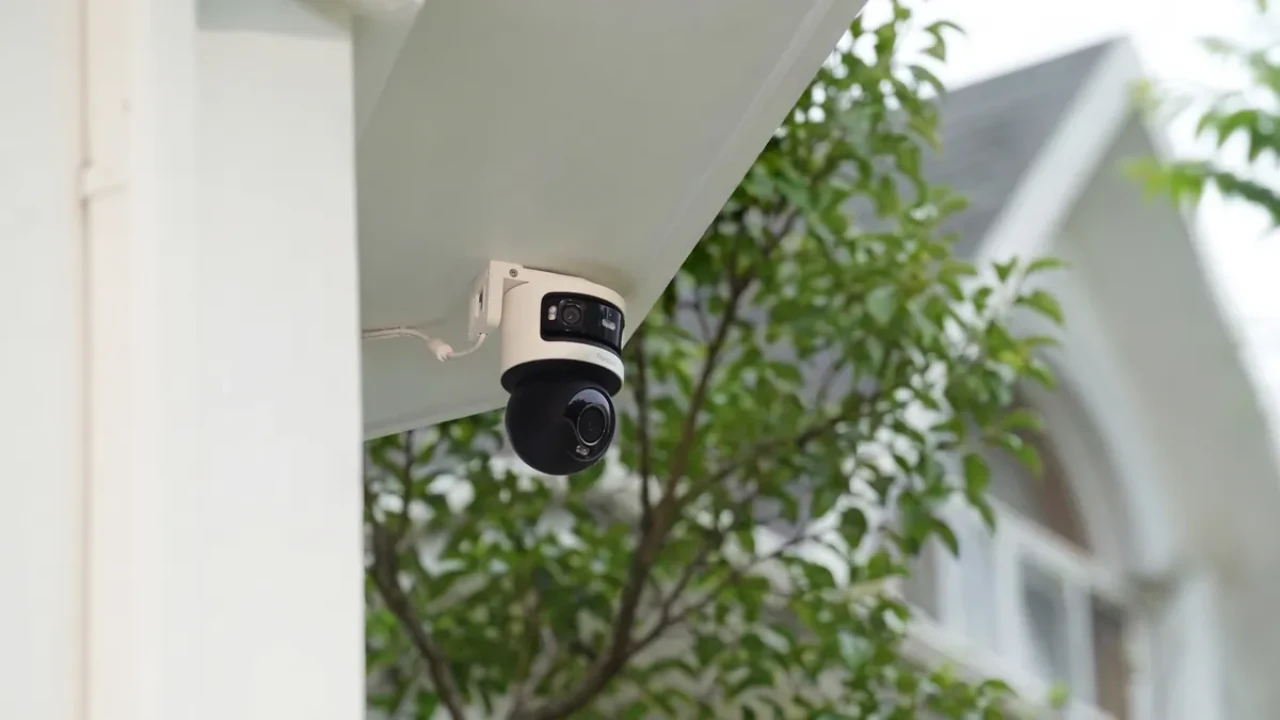
Product photos available on request — ask for samples or the full catalog.
Why Indoor Security Cameras
Indoor security cameras for offices, shops and homes — full-color night vision, two-way audio, privacy shutter options and no subscription. A good indoor camera records locally, alerts on real motion and leaves privacy controls in your hands.
- Smart indoor cameras with app control and motion alerts
- Indoor security cameras without subscription — record to SD card or NVR
- Two-way audio for visitor screening and front-desk talk
- Privacy shutter, mic-off and masking zones as standard options
- Full-color night vision for unlit rooms and after-hours coverage
- OEM / ODM with private label for brands and resellers
WHY INDOOR
Why Indoor Cameras, and Why Privacy Comes First
The "good indoor camera" question is really two questions: what should it cover, and who is it watching? Most product pages answer the first and skip the second. Privacy is where indoor cameras differ from every outdoor install — so we design for both.
1
Coverage where it counts
Indoor cameras watch the activity that matters most: faces at the till, the stockroom door, the corridor at night, the nursery. In shops and offices they deter and resolve disputes; at home they keep an eye on children, elderly relatives and entry points.
2
Privacy as a design feature
Indoors, the camera shares space with the people it watches. A privacy shutter, mic-off, masking zones and visible signage keep a system defensible — for staff, guests and the law. This is the piece most indoor camera product pages never mention, and it decides whether an install stays compliant.
3
No subscription, no surprises
Record to an SD card or your own NVR and the camera keeps working for years with zero monthly fees. Footage stays on your network, which is both cheaper and more private than renting cloud storage for every camera.
INDOOR VS OUTDOOR
Indoor vs Outdoor Cameras: Which Fits Each Room
The hardware differences are smaller than the decision differences. Indoors, weatherproofing matters less and privacy matters more. This table is the shortcut.
| Factor | Indoor cameras | Outdoor cameras |
|---|---|---|
| Weather rating | Not needed — indoor only | IP65+ housing essential |
| Privacy features | Shutter, mic-off, masking zones — expected | Rarely relevant |
| Two-way audio | Common — visitor screening, staff talk | Optional, often disabled by wind noise |
| Night vision | Short range is fine; full-color low-light popular | Long IR range and full-color needed |
| Compliance burden | High — notice, consent, no private areas | Lower — public space rules |
| Best for | Tills, corridors, stockrooms, homes, care | Perimeters, parking, entrances, yards |
Rule of thumb: if the camera sits where people live and work, buy the indoor spec — and budget for privacy features, not weatherproofing.
KEY SPECS
Four Specs That Decide a Good Indoor Camera
Two-way audio
A room camera covers bedrooms, offices, reception and stockrooms — the spaces where indoor security cameras earn their keep. Built-in mic and speaker turn the camera into an intercom: screen visitors at the front door, talk to staff at the far end of the shop, check in on an elderly relative. The same mic switches off in software for sites where audio recording needs consent.
Privacy shutter and masking
A physical shutter covers the lens when recording should stop — a visible, unambiguous "off" for staff and guests. Masking zones go further: they blank out specific areas of the frame, so a camera aimed at a doorway never sees the private office behind it.
Night vision that fits the room
Full-color low-light sensors keep true color with a small fill light — right for rooms with some ambient light. For pitch-dark rooms after hours, IR illumination covers typical indoor distances easily. Indoors, short night-vision range is a feature, not a weakness.
Local storage and smart alerts
SD card or NVR recording keeps indoor footage on your network — no third-party cloud, no subscription. Motion detection sends a push alert instead of recording hours of empty room, and ONVIF support lets the camera join the NVR you already run.
FACTORY DIRECT
OEM / ODM for Brands, Integrators and Resellers
FULLCOLORCAM manufactures indoor cameras directly. That means private label, custom firmware and volume pricing that retail brands cannot match:
- Private label: your brand on the camera and box; the Seetong app stays factory-standard
- OEM on existing lines: lead time confirmed per order, no MOQ for mixed orders
- ODM customization: firmware options, boot logo and NVR interface branding
- Privacy features to order: shutter, mic-off, masking as standard lines
- Sample units at unit price before volume, pre-shipment inspection available
- Full shipping & product documentation tailored to your destination's clearance
Looking for a full system?
This line is sourced on demand. Our stocked range — bullet, dome and PTZ cameras, NVR recorders and complete PoE systems — is what we deliver today, with no MOQ on mixed solution orders.
FAQ
Questions Buyers Ask
What does a smart indoor camera do?
It connects to your network, streams live video to an app, sends motion alerts, and records to local storage. Smarter models add two-way audio, privacy zones and person detection — all without a cloud subscription.
Do indoor security cameras require a subscription?
No. Choose models with SD card or NVR recording and the camera works fully offline: live view, alerts and playback with zero monthly fees. Cloud plans exist on many platforms but are optional, not required.
What makes a good indoor camera?
Four things: low-light image quality that stays useful after dark, motion alerts you can trust, two-way audio for talking through the camera, and privacy controls — a shutter, mic-off and masking zones — that keep the camera respectful of the people around it.
Are indoor cameras allowed in shops and offices?
Yes, in most regions, for common areas such as tills, entrances, corridors and stockrooms. The rules that matter: post visible signage, never cover restrooms, changing rooms or sleeping areas, and treat recorded audio as more strictly regulated than video in many countries.
Which areas should indoor cameras never cover?
Restrooms, changing rooms, showers, and in many jurisdictions private offices and staff break areas. When in doubt, aim the camera at the door rather than the room behind it, and use masking zones to blank out anything the camera should not see.
Do indoor cameras record audio?
Only if the model has a microphone and you enable it. Audio recording has stricter consent rules than video in many regions, which is why our two-way audio models ship with a software mic-off option — you can screen visitors visually and keep audio disabled.
What is a privacy shutter?
A physical cover that slides over the lens when you do not want recording. It is the clearest way to show staff, guests or family that the camera is off — useful in bedrooms, homes with children or elderly relatives, and workplaces with sensitive talks.
How is indoor footage stored, and who can access it?
With local storage the video never leaves your network: it writes to an SD card inside the camera or to your own NVR. You control passwords, playback and who gets app access — there is no third-party server holding your interiors.