
Solar Security Camera Guide: Solar Power, Battery and 4G Setup Explained (2026)

Table of Contents
Every solar security camera that goes dark at 3 a.m. on the tenth cloudy day was failed by the same mistake: a panel sized for the brochure, not for the weather. A solar camera is only as reliable as its energy budget, and the budget is set by four numbers: panel watts, battery capacity, average power draw and peak sun hours. Most spec sheets quote the first two as marketing figures and omit the last two entirely. The result is a camera that survives the demo week and dies in the first real winter, with no power line and no technician nearby to save it.
This guide walks through the full solar camera equation: what a solar powered security camera actually contains, how much panel wattage a 5-30W panel delivers per day, and what a 5000-20000mAh battery buys in autonomy hours. It also covers 4G data budgeting, cloudy-day endurance, panel and PIR aiming, and the off-grid scenarios that justify the purchase. By the end you will be able to check any supplier quote against the numbers instead of trusting the label.
Keep reading for more!
The Snapshot
- Panel watts are the income side of the energy budget: a 10W panel at 4.5 peak sun hours delivers roughly 34 Wh/day after derating, while a 30W panel delivers about 100 Wh/day. Panel power in the 5-30W range covers everything from a 2W WiFi event camera to a 4G camera running a night light.
- Battery capacity is the buffer: a 10000mAh pack holds about 37 Wh at 3.7V nominal, which keeps a 1W average-draw solar camera running roughly 1.5 days with zero sun. A 20000mAh pack nearly triples the buffer to about 3 days.
- 4G data is the recurring cost that decides viability: a 4MP camera streaming at 3 Mbps burns about 1.35 GB per hour, so event-triggered recording is what keeps a 30-50GB monthly plan affordable on a 4g solar camera.
- PIR trigger is the feature that makes small panels viable: in sleep the camera draws 0.1-0.3W, wakes on motion in under 2 seconds and records 10-60 second clips, cutting average draw from 4W to under 1.5W on a typical site.
- Cloudy-day autonomy is a design target, not a lucky outcome: sizing the panel for the worst month (not the annual average) and the battery for 3+ days of zero sun is the difference between a monitored site and a blind one.
What Is a Solar Security Camera?
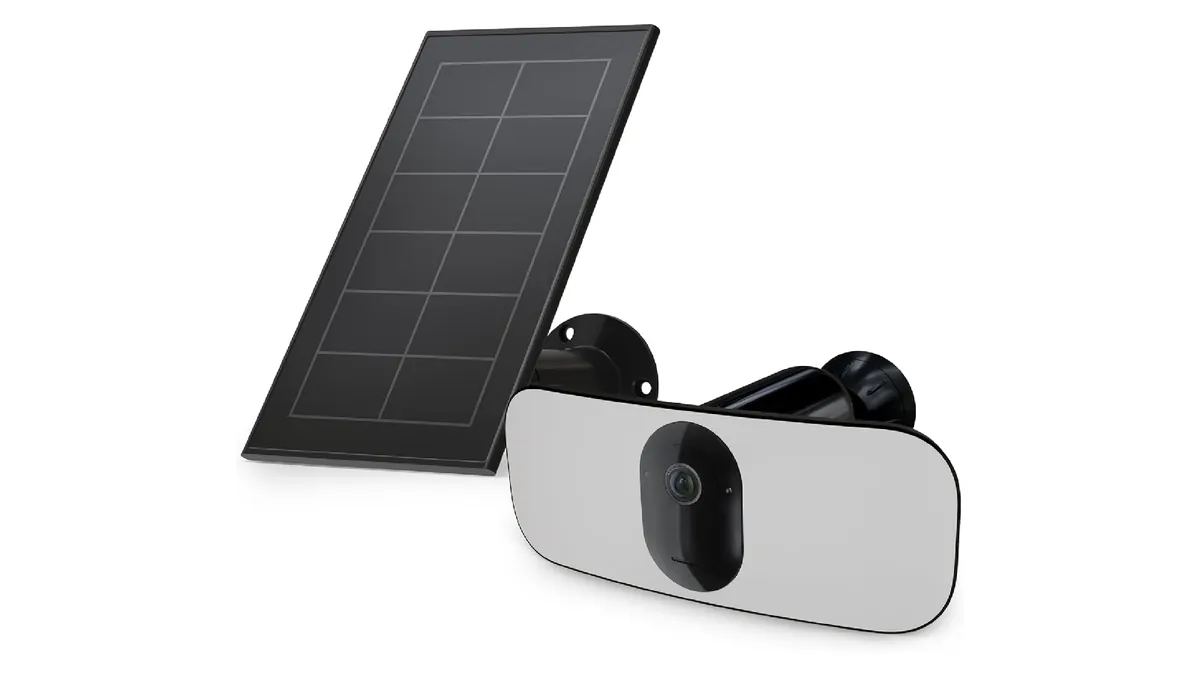
A solar security camera is a network camera that gets its power from a solar panel and a rechargeable battery instead of a wall outlet, and gets its network link from WiFi or a cellular SIM. The product class covers several physical layouts. Small all-in-one units glue the panel to the camera body. Larger all-in-one bodies use a detachable panel on a cable, and split systems feed a standard outdoor camera from a separate panel and battery box. Buyers search them as "solar camera", "solar cctv", "wireless solar camera" or "off grid camera", and they all describe the same off-grid power architecture.
The key fact that separates solar cameras from battery-only cameras is the recharge loop. A battery camera dies when its cells empty. A solar camera is designed to recharge every day the sun appears, so its battery only needs to cover the gaps between good weather. That changes the sizing question from "how big a battery" to "how much panel, how much battery, and how little draw", the three-variable budget covered in the next sections.
Inside the housing, a solar camera is the same hardware as any modern network camera: an image sensor, an SoC, an IR or white-light illuminator, a microphone, a PIR motion sensor and a network radio. The differences are the power management layer (MPPT or PWM charge controller, deep-sleep firmware, battery protection) and the weather rating. A serious outdoor unit is rated IP66 and operates from roughly -30°C to 60°C, because a solar camera lives on a pole, not under a roof.
It is also worth knowing what a solar camera is not. It is not a continuous 24/7 recorder by default: at typical panel and battery sizes, continuous recording drains the pack in hours. It is an event-based device that sleeps, wakes on a PIR trigger, records short clips and uploads them over WiFi or 4G. Buyers who plan around that behavior get years of service; buyers who expect NVR-grade continuous recording get disappointed quickly. The rest of this guide sizes a system that matches reality.
Solar Panel Power: What 5-30W Delivers
Panel wattage is the headline spec, but the number that matters is daily energy: watts × peak sun hours × system efficiency. Peak sun hours is the number of hours per day of full-strength sunlight (1000 W/m²) a location effectively receives, not hours of daylight. Typical annual averages are about 6.4 for Phoenix, 5.0 for Madrid, 4.0 for Shanghai, 3.1 for Munich and 2.8 for London, and December values run at a fraction of those.
The sizing formula used across the off-grid industry is simple:
- Daily energy need (Wh) = camera draw (W) × 24
- Panel size (W) = daily Wh ÷ (peak sun hours × 0.75), the 0.75 covers panel derating, charge-controller loss and wiring loss
Worked example: a 4W 4G camera needs 96 Wh/day. At 4.5 peak sun hours, that needs 96 ÷ (4.5 × 0.75) ≈ 28W, so a 30W panel is the right size. The same camera in a location with 2 sun hours needs 96 ÷ (2 × 0.75) ≈ 64W, so a 70W panel or two 30W panels are needed. Undersized panels fail months later, not on day one: the battery slowly drains across the season until one long cloudy spell kills the site.
| Panel power | Typical yield @ 4.5 sun h | Camera class it feeds | Typical draw supported |
|---|---|---|---|
| 5W | ~17 Wh/day | Compact WiFi event camera | 2W (event mode) |
| 10W | ~34 Wh/day | All-in-one solar WiFi camera | 2-3W |
| 20W | ~68 Wh/day | 4G solar camera, mild climate | 3-4W |
| 30W | ~100 Wh/day | 4G camera with night light, cold climate | 4-6W |
← swipe to scroll →
Panel technology matters less than size but still counts. Monocrystalline panels at 18-23% efficiency are the standard for solar cameras because they harvest more per square centimeter: a 10W mono panel is roughly 25×30 cm. On anything above 20W, an MPPT charge controller recovers 15-30% more energy than PWM in cold or partial-shade conditions. Panel output also derates about 0.3-0.5% per °C above 25°C, so a hot rooftop panel delivers noticeably less than its rating.
Battery Capacity: mAh, Wh and Autonomy
Battery capacity is quoted in milliamp-hours (mAh) on consumer solar cameras and in watt-hours (Wh) on professional units. The honest way to compare them is Wh, because mAh alone ignores voltage. A 10000mAh pack at 3.7V nominal holds about 37 Wh; a 20000mAh pack holds about 74 Wh. Most all-in-one solar cameras ship with 5000-10000mAh, while split systems and 4G units with night illumination use 15000-20000mAh.
Autonomy is the number that matters: battery Wh ÷ average draw = hours of runtime with zero sun. A 74 Wh pack feeding a 1W average-draw camera runs about 74 hours, or roughly 3 days. The same pack feeding a 4W continuously-recording camera lasts only about 18 hours. That is why the draw side of the equation, covered in the PIR section, decides how far the battery actually stretches.
| Battery capacity | Energy (3.7V) | Runtime at 1W avg | Typical fit |
|---|---|---|---|
| 5000mAh | ~18.5 Wh | ~18-20 hours | Compact WiFi event cameras |
| 10000mAh | ~37 Wh | ~1.5 days | Standard all-in-one solar cameras |
| 15000mAh | ~55 Wh | ~2.3 days | 4G solar cameras, mild climates |
| 20000mAh | ~74 Wh | ~3 days | 4G cameras with night light, cold climates |
← swipe to scroll →
Cell chemistry sets the operating envelope. LiFePO4 cells charge down to about -20°C, deliver 2000-3000+ cycles (roughly 5-8 years of daily cycling) and tolerate 80-100% depth of discharge, the right choice for outdoor solar gear. Standard Li-ion cells charge only down to about 0°C, manage 500-800 cycles and prefer 60-80% DOD, which is why consumer units with Li-ion cells lose capacity fast in freezing winters. When a supplier quotes "20000mAh", ask for the Wh figure and the chemistry; the two together tell you the real autonomy.
4G Communication: Data Budget and Signal
A 4g solar camera replaces the network cable with a cellular link, which solves the remote-site problem and introduces a new one: a monthly data bill. The math is simple and brutal. A 4MP camera streaming the main stream at 3 Mbps uses about 1.35 GB per hour. Run that continuously and a single camera burns about 32 GB per day, most of a 50GB plan in under two days. Event-triggered recording is not optional on cellular solar cameras; it is the design point that makes the data plan affordable.
With PIR-triggered event recording at, say, 30 events per day and 30-second clips at 1-2 Mbps, a solar camera with 4g uses roughly 0.7-3 GB per day. That works out to 20-90 GB per month depending on activity. A 30-50GB monthly plan is a realistic budget for a normal farm or construction site. Choose the sub-stream (typically 640×360 to 1280×720 at 0.5-1 Mbps) for live viewing to keep idle data near zero, and keep the main stream for event clips only.
Signal planning matters as much as data planning. A solar camera sits where WiFi cannot reach, so the LTE modem's sensitivity decides whether the site works at all. Check the signal strength at the exact mounting point before fixing the bracket. An RSSI of -90 dBm or better gives reliable video upload; -100 dBm or worse means dropped events and reconnection loops that also drain the battery. External antennas, dual-SIM slots (primary carrier plus failover) and carrier choice all belong in the specification, not as afterthoughts. When buyers search "solar camera with 4g", they are asking whether the unit will stay online through carrier outages and weak-signal evenings. Dual-SIM and antenna options are the honest answer.
Cloudy-Day Autonomy: Sizing for Bad Weather
The question every buyer asks is "how long does it last on cloudy days?" The honest answer has two parts. With zero charging, it is capacity ÷ draw: a 74 Wh pack at 1W average gives about 3 days. But cloudy days are rarely total darkness: an overcast sky still delivers 10-40% of full sun, so the panel keeps trickling energy in while the battery covers the deficit. The planning number is therefore not "days of battery" but "days of autonomy at the worst-month harvest".
Size the system for the worst three months, not the annual average. A site with 4.5 annual peak sun hours might see 1.5-2 in December. The same 4W camera that needs a 30W panel at 4.5 hours needs 60-85W at 1.5-2 hours. That is why cold-climate kits ship with 30W panels and 20000mAh batteries, while mild-climate kits make do with 10W and 10000mAh. The panel covers the seasonal deficit; the battery covers the day-to-day weather gap.
A useful rule of thumb from field deployments: a solar camera with 3+ days of zero-sun autonomy and a panel sized for the worst month survives normal weather patterns indefinitely. Anything with less than 24 hours of autonomy will go offline at least once per season. The first offline event usually happens at the worst possible time: a night, a weekend, a storm. If the supplier cannot state the battery Wh, the average draw and the panel wattage together, treat the "7-day battery" claim as marketing.
Installation Angle: Tilt, Orientation and Shade
Panel placement decides whether the watts in the spec sheet ever reach the battery. Three rules cover most of the failures seen in the field.
1. Face the panel south (northern hemisphere) and tilt it close to the site latitude. A 30-35° tilt in the southern US, 45-55° in central Europe, gives the best year-round harvest. For winter-heavy budgets, add 10-15° to the tilt; a steeper winter angle captures the lower sun better, trading a little summer surplus for winter reliability.
2. Kill the shade. Even 20% partial shade can cut panel output by 30-50%, because shaded cells drag down the whole panel. A tree that "only shades the corner" in September can kill the site by November as the sun arc drops. Mount the panel where it gets unobstructed sun from 9:00 to 15:00 year-round, and re-check clearance every spring; trees grow.
3. Aim the panel and the camera separately. The panel faces the sun; the camera faces the scene, and the two rarely point the same way. On all-in-one units this is a fixed compromise: mount the unit so the panel gets sun and accept a slightly angled view. Or use a split system where the panel sits on its own bracket. A common installer mistake is aiming the whole unit at the scene and leaving the panel pointed at a wall.
PIR Trigger: How Event Recording Saves Power
The PIR (passive infrared) sensor is the energy-saving heart of every solar camera. A typical PIR detects a person or vehicle by body heat within about 8-12 m and a 100-120° horizontal angle. It costs almost nothing to run, which is why the camera can keep it on 24/7 while the main SoC sleeps.
In deep sleep, a solar camera draws 0.1-0.3W; on a PIR trigger it wakes in under 2 seconds, records a 10-60 second clip, uploads it and goes back to sleep. On an event-heavy site with 50-100 triggers a day, average draw stays around 0.8-1.5W, versus 2-4W continuous for the same camera recording full-time. That gap is the difference between a 10W panel working and a 30W panel being required, and it is exactly why the entire solar camera class depends on event recording.
Set expectations for PIR behavior before installation. The sensor triggers on heat and motion, so direct afternoon sun on the lens, small animals and moving foliage can generate false events. Most units let you tune sensitivity and set an activity schedule. And because the camera sleeps between events, it misses the first fraction of a second of motion: the clip starts at the trigger, not before it. Pre-buffering (a few seconds of ring buffer before the trigger) is a spec worth asking for if the camera guards a gate or doorway where the first step matters.
Off-Grid Scenarios: Farm, Construction and Trail
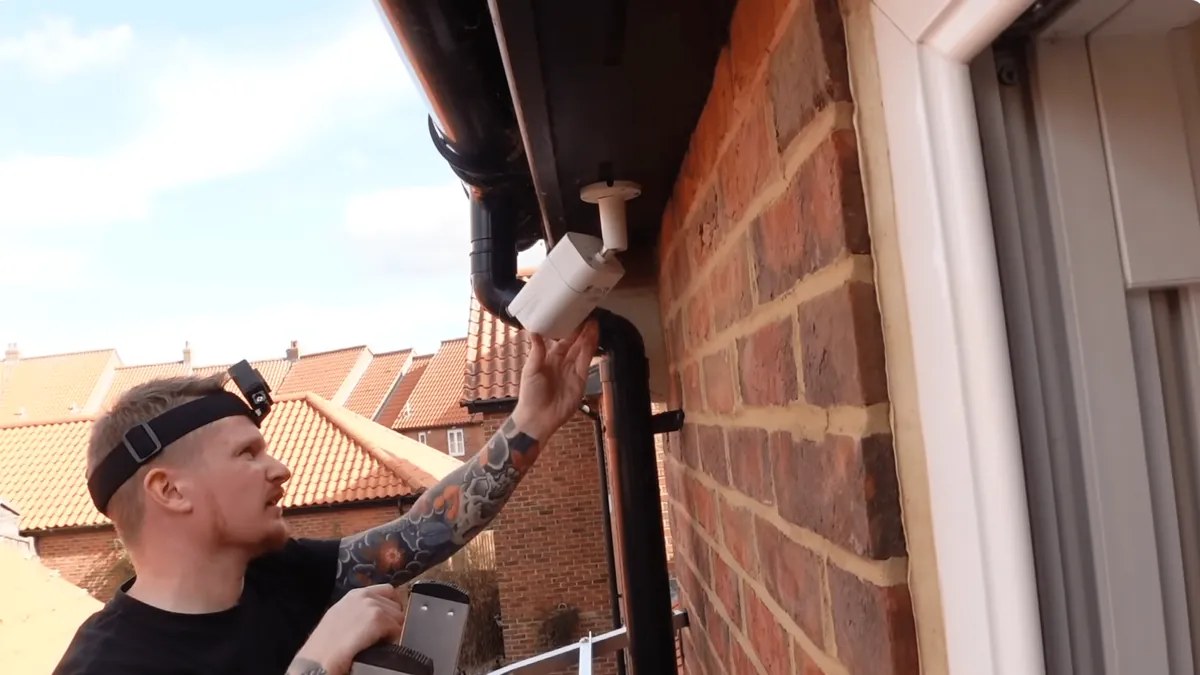
Solar cameras earn their cost where power and network are physically or economically unavailable. Trenching a 230V feed typically runs $15-40 per meter once labor, cable and reinstatement are counted, so a 500m run lands at $7,500-20,000 before a single camera is mounted. Broadband stops at the property boundary. For these sites, a solar camera with a cellular or WiFi link replaces the two most expensive parts of a traditional install (the power run and the network run) with a panel, a battery and a SIM card.
The classic deployments follow the same pattern:
- Farms and livestock: gates, feed storage, equipment yards and perimeter fences, often 200-1000m from any building. A 4g solar camera with a 30W panel and 20000mAh battery covers a gate for a season on a 50GB plan.
- Construction sites: 6-12 month projects where a permanent power feed would outlive the job. Battery-powered units with PIR event recording survive crane movements and weekend shutdowns, and move to the next site when the job ends.
- Remote parking and yards: contractor yards, boat storage and utility lots: sites with no power outlet near the entry points that need after-hours visibility.
- Hunting and wildlife: the same PIR-plus-sleep architecture runs in a solar trail camera that captures game movement for weeks unattended, the consumer cousin of the commercial solar camera, with smaller sensors and event-only recording.
The decision framework stays the same as any CCTV project. Use wired PoE where power and network are within reach (see our solar 4G camera guide for the power math in depth), and choose a solar camera when either utility is missing. For outdoor locations where full-color evidence matters at night, pair the solar power architecture with a full-color night vision camera (see our full-color night vision guide). A solar camera that records grayscale shapes saves you the power but loses the evidence.
Procurement Checklist: What to Ask a Supplier
When you compare quotes for a solar camera, work through this checklist in order. Every item maps to a number a serious supplier can state; a supplier that cannot state it is selling marketing.
- 1. Panel wattage and type. Ask for watts, cell type (monocrystalline preferred) and controller (MPPT above 20W). Confirm the panel is sized for your worst month, not the annual average.
- 2. Battery in Wh, not just mAh. Ask for watt-hours, chemistry (LiFePO4 preferred for outdoor) and depth-of-discharge rating. Convert 5000-20000mAh claims to Wh at the stated voltage before comparing.
- 3. Average draw and sleep draw. Ask for the continuous draw (typical 2-6W) and the sleep draw (typical 0.1-0.3W). These two numbers set the whole energy budget.
- 4. PIR wake time and pre-buffer. Wake should be under 2 seconds; pre-buffering before the trigger is a plus for gate and doorway scenes.
- 5. Network and data. For a 4g solar camera: dual-SIM slots, external antenna option, and a stated bitrate for the sub-stream. Budget 30-50GB/month per event-mode camera.
- 6. Weather rating. IP66 minimum for outdoor, operating range roughly -30°C to 60°C, and a panel/battery that actually charges below 0°C (LiFePO4).
- 7. Cloud access and ONVIF. Confirm P2P app access, whether ONVIF/RTSP is available for NVR integration, and whether the unit records to local SD as well as cloud.
- 8. Warranty and batch consistency. For wholesale orders: firmware update policy, MOQ, sample testing and a written warranty period, because solar cameras live in brutal environments, and the warranty tells you how the factory rates its own product.
For B2B buyers, the same checklist applies at fleet scale. Ask for a power-budget worksheet per camera model, test one sample through a full winter cycle, and demand firmware that survives carrier changes. The camera that passes this checklist is a solar camera; the one that only quotes "solar powered, 7-day battery" is a battery camera with a panel bolted on.
Solar Camera Questions Buyers Ask
How long does a solar camera battery last?
Two answers: with zero sun it is capacity ÷ draw: a 10000mAh pack (about 37 Wh) at 1W average runs about 1.5 days, a 20000mAh pack (about 74 Wh) about 3 days. With an adequately sized panel, the battery lasts for years of daily cycling, because the panel replenishes it every sunny day.
Do solar cameras work at night?
Yes, because the camera runs off the battery at night; the panel charges during the day. Night draw comes from the illuminator: IR LEDs add 1-3W and record black-and-white, while a full-color night vision camera running white LEDs adds 3-6W while active. Budget that draw into the battery size before buying.
How much 4G data does a solar camera use?
With event-triggered recording, roughly 0.7-3 GB per day depending on activity, about 20-90 GB per month. Continuous streaming at 3 Mbps uses about 1.35 GB per hour and is not viable on a solar camera. A 30-50GB monthly plan fits normal farm and construction sites.
How many days can a solar camera last without sun?
A properly sized system runs 3+ days of zero sun on battery alone, and keeps working through normal cloudy spells because overcast skies still deliver 10-40% of full sun. Sizing the panel for the worst month is what makes the "without sun" question moot in practice.
What is the difference between a solar camera and a battery camera?
A battery camera empties and dies. A solar camera has a recharge loop (panel, charge controller and battery) so it tops itself up daily and only draws the battery down during weather gaps. The sizing question changes from "how big a battery" to "how much panel, battery and how little draw".
Is a solar trail camera the same as a solar security camera?
The architecture is the same (PIR trigger, deep sleep, event clips, battery and panel), but the hardware differs. Trail cameras use smaller sensors and event-only recording for wildlife, while security cameras add network streaming, higher resolution and often 4G. A security camera can be used as a trail camera; the reverse is rarely true.
The Bottom Line
A solar camera is specified by its energy budget (panel watts, battery Wh, average draw and peak sun hours), not by its megapixel count. Choose the panel for the worst month (a 10-30W panel for most single-camera sites) and the battery for 3+ days of zero sun (10000-20000mAh depending on the illuminator). Pick the network for the site: WiFi where it reaches, a dual-SIM 4g solar camera where it does not. Plan for event-triggered recording with a fast PIR wake, mount the panel south-facing at latitude tilt with zero shade, and budget 30-50GB of data per month per camera.
At FULLCOLORCAM we build 4MP and 5MP full-color night vision cameras with F1.0 lenses and H.265+ recording, including solar-ready and 4G models for off-grid sites. Every unit is tested before shipping, is ONVIF-conformant and includes free P2P remote access. Send us your site location, camera count and winter sun hours for a power-budgeted quote. We will tell you the panel, battery and data plan your site actually needs, not the biggest numbers on a spec sheet. Contact us at cj226144@gmail.com.
NEXT STEP
Ready to Upgrade to Full-Color Night Vision?
Send us your requirements — our team responds by email.
Written by
Ray ChanCCTV Buyer's Guide Author · Full-Color Night Vision Specialist. Ray helps global importers and integrators source factory-direct security cameras.