
How to Mount Security Cameras: Height, Angle and Placement Guide (2026)

Table of Contents
Most camera failures are mounting failures, not camera failures. A unit bolted at 6 m catches the top of a head instead of a face. A bracket that sways 2 degrees in the wind smears every night frame. And a lens aimed into a bright doorway washes out the subject it was installed to catch. The numbers behind good mounts are well established. Use a 2.5-4m mounting height and a 15-20 degree downward tilt. Rate the bracket well above the camera weight, and protect every exposed part to IP66.
This guide covers how to mount security cameras for new builds and retrofits alike. We start with the camera mounting height and the camera install angle for each scene. Then we handle backlight before you drill, and pick the right surface fixing and camera mounting bracket for bullet, dome and PTZ units. Finally, we show cable routing that keeps water out, and locks the mount against tampering. Get these right once and the installation records usable evidence for years.
Keep reading for more!
The Snapshot
- Mount at 2.5-4m: 2.5-3m for face identification indoors, 3-4m for outdoor perimeters that need both coverage and reach.
- Tilt down 15-20 degrees: the flat end of the band captures faces at distance; anything steeper than 30 degrees sees heads and shoulders only.
- Outdoor means IP66 and rated brackets: a typical bullet camera weighs 0.8-1.5 kg, so use a bracket rated for 2-3 times that figure.
- Kill backlight before drilling: aim across doorways and windows, use WDR (typically 120 dB) and never point a lens into the sun.
- Plan anti-tamper into the mount: tamper-proof screws, concealed cable and a 3m-plus height remove the most common defeat methods.
Mounting Height: 2.5-4m Sweet Spot
The camera mounting height decides both what you see and who can reach the unit. Below 2.2 m a passerby can grab or knock the camera. Above 4 m the identification distance collapses because faces shrink to a few pixels, unless you pair the height with a longer lens. The industry band is 2.5-4m for almost every fixed camera, with the exact figure chosen by scene.
Indoor scenes run 2.5-3m. A camera at 2.5 m over a doorway frames a face at roughly 3-5 m. At 3 m it frames a face at 5-8 m with a 2.8 mm lens. Outdoor perimeters run 3-4m, which keeps the unit out of arm's reach while still identifying people at 8-12 m. Warehouses and loading bays are the exception. Racking blocks sightlines, so cameras go higher at 4-6 m and switch to 6-12 mm lenses to keep usable pixels on the target.
When you mount security camera units on a wall, keep the height consistent across the whole site. Mixed heights mean mixed pixel densities, which makes footage review and face matching harder for the operator. The table below shows the typical values per scene.
| Scene | Mounting Height (typical) | Downward Tilt | Lens Suggestion |
|---|---|---|---|
| Indoor corridor / office | 2.5-3 m | 15-20 degrees | 2.8 mm |
| Doorway / entrance (face ID) | 2.5-3 m | 15-20 degrees | 2.8-4 mm |
| Outdoor perimeter / yard | 3-4 m | 15-20 degrees | 2.8-6 mm |
| Parking lot / open area | 3.5-4 m | 10-15 degrees | 4-6 mm |
| Warehouse / loading bay | 4-6 m | 15-25 degrees | 6-12 mm |
← swipe to scroll →
Two rules of thumb apply everywhere. First, the higher the mount, the longer the lens needed to hold identification distance. Lens cost climbs with focal length. Second, a 3 m mount with a 6 mm lens beats a 5 m mount with a 2.8 mm lens at the same spot. It wins on face detail. Height and lens are chosen together, never in isolation.
Tilt Angle: 15-20 Degrees Down
The camera install angle is measured from horizontal, and the 15-20 degree band is the working sweet spot for fixed cameras. At that tilt the lens sees a face approaching from 3 m to roughly 12 m before the subject passes underneath. Flatter angles below 10 degrees pick up sky, glare and IR reflections. Steeper angles above 30 degrees capture the top of the head and shoulders, which fails for identification the moment a review starts.
Dome cameras mount flush on a ceiling and usually cannot tilt past 30-45 degrees from vertical. Their effective coverage ring is smaller than a bullet camera's. For a ceiling dome at 3 m, a 15-20 degree effective view still frames faces at 4-7 m. That is why domes fit corridors and reception counters rather than long yards. PTZ units need a home position preset with the same 15-20 degree logic, then preset tours keep every patrol angle inside the band.
Set the angle after the zoom, not before. With a varifocal lens, zoom to the coverage you need first. Then tilt until the horizon of the frame sits about one third from the top. That composition keeps the most useful walking area in the center of the image and reduces wasted pixels on sky and ceiling.
Security Camera Placement: Where Each Unit Goes
Security camera placement decides what the footage can actually prove. A camera pointed at a parking lot proves a car arrived. A camera pointed at the door it stopped at proves who got out. The standard placement method is a site survey. Walk every entry point, choke point and asset zone. Mark the route an intruder must take, then place cameras to cover faces, not backs of heads.
Start with the entry path. Doors, gates, loading docks and stairwell landings are the points everyone must pass. A camera angled across the path catches a face instead of a moving back. Overlap the edges of coverage by 10-20 percent so a blind spot under one unit sits inside the view of the next. Keep 1-2 m of clearance from motion-sensor lights and heat sources. A light switching on mid-scene can blow out the exposure and trigger false alarms.
For a retail floor, aim down aisles rather than across them so faces and baskets stay in frame. For a warehouse, put cameras at aisle ends where both directions are visible. For a perimeter, face cameras along the fence line instead of at the fence. This extends detection distance and avoids blinding IR reflection off the mesh. Every placement decision maps back to one question: what is the first frame that proves the incident?
B2B sites benefit from a written placement plan before any drilling. A typical 500 m perimeter with four gates needs eight to twelve camera positions. Mark each with its height, angle and lens on a simple sketch. The plan also sets the camera count for the recorder and switch sizing, so the survey prevents both coverage gaps and budget surprises. Keep the plan in the handover folder; it becomes the reference for every future expansion.
Backlight: Handling Sun, Doors and Windows
Backlight is the most common image killer that has nothing to do with the camera's resolution. A doorway in daylight pushes the scene contrast far beyond a sensor's dynamic range, so the subject walking in becomes a dark silhouette. The same happens when a camera faces east at sunrise or west at sunset. It also happens when a full-color camera's own fill light bounces off a white wall at night.
The mechanical fix happens at mounting time: aim across the light source, not into it. A camera beside a door angled across the opening sees the subject against the darker interior, not against the bright exterior. When the geometry forces a camera to face a window or the sun, engage WDR (wide dynamic range). WDR is typically rated 120 dB on modern full-color cameras. Mount the unit under an eave or hood so lens flare from direct sun stays off the glass.
Full-color night vision cameras have a second backlight trap. A 5MP F1.0 full-color unit needs ambient light or its own white-light fill to stay in color mode. Mount it near an existing wall light or street lamp. Check that the fill does not glare back off a nearby surface. The result is continuous color footage where an IR-only unit would produce grayscale shapes. That matters when the report asks about the color of the vehicle.
Test the backlight at the two worst moments before signing off. Check late afternoon when the sun is low, and the first hour of darkness when lights switch on. A 120 dB WDR camera holds detail across a lit doorway. It only works when the lens is clean and the mount keeps direct sun off the glass. Add a lens hood or deeper eave if glare appears in the live view, because no software setting fixes a mount that fights the light.
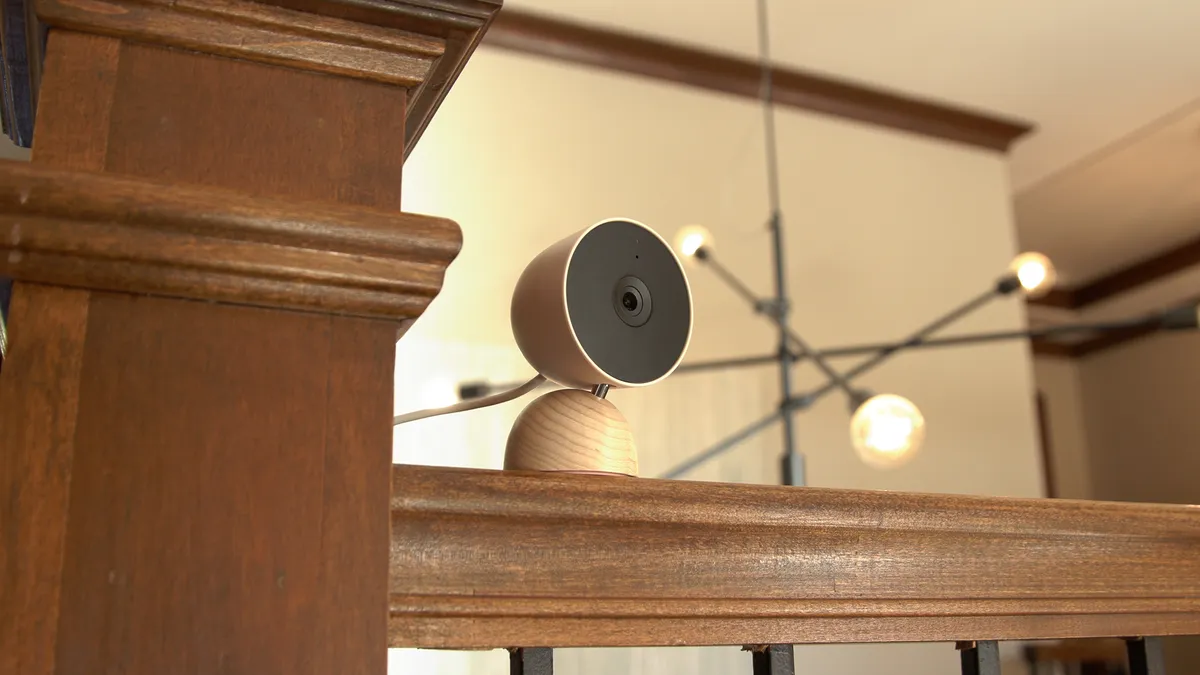
Mounting Surfaces and Fixings
The surface behind the bracket decides whether the mount survives its first storm. Brick and concrete take masonry anchors; wood takes stainless screws; metal takes self-tapping screws with grommets; and drywall needs toggle bolts rated for the load. Each cctv mounting job starts by identifying the substrate, because a bracket that pulls out of soft material takes the camera with it.
For brick or concrete, drill with a masonry bit. Insert an anchor rated for the bracket weight, and use M6 or M8 fixings as the bracket requires. For wood siding or fascia, use stainless steel screws at least 40 mm long so they bite past the paint layer. For vinyl siding, never screw directly into the panel, which cracks in the cold. Mount a blocking plate behind the bracket instead. For metal cladding or poles, self-tapping screws plus rubber grommets keep water out of the holes. For drywall and plaster, toggle bolts with a typical rating of 10-15 kg per anchor handle a 1 kg camera comfortably.
| Surface | Typical Fixing | Typical Load Rating | Note |
|---|---|---|---|
| Brick / concrete | Masonry anchor, M6/M8 bolt | 20-50 kg | Drill with masonry bit, clean the hole |
| Wood / fascia | Stainless screw, 40 mm+ | 15-30 kg | Pre-drill to avoid splitting |
| Vinyl siding | Blocking plate + screws | 10-20 kg | Never screw the panel itself |
| Metal / pole | Self-tapping + grommets | 10-25 kg | Seal each hole against water |
| Drywall / plaster | Toggle bolt | 10-15 kg per anchor | Two anchors for outdoor brackets |
← swipe to scroll →
One more rule: check the wall construction before drilling. A hollow brick or a stud wall changes the fixing choice completely, and the bracket's mounting plate must sit flat. A bracket forced into a curved or uneven surface flexes the camera and blurs the image at every vibration frequency.
Choosing the Right Camera Mounting Bracket
The camera mounting bracket carries the entire load, so its rating matters as much as the camera's spec. A typical bullet camera weighs 0.8-1.5 kg, a dome 0.4-1 kg, and a PTZ unit 2-5 kg with its motorized head. Choose a bracket rated for 2-3 times the camera weight. Add a junction box bracket whenever cable must transition from wall to camera. That protects the connector from both weather and theft.
Bullet cameras use J-brackets or L-brackets on walls and eaves. A swivel head lets the installer dial in the 15-20 degree tilt after fixing. Dome cameras use flush ceiling mounts or pendant brackets. The pendant version drops the dome below ceiling height, which works when racking or beams block the line of sight. PTZ units need heavy-duty wall or pole brackets with a rated load above the head weight. Allow clearance for the full pan sweep, typically 300-400 mm of standoff, so the lens clears the mounting surface during rotation.
| Camera Type | Bracket Type | Typical Load Rating | Best For |
|---|---|---|---|
| Bullet | J-bracket / L-bracket | 3-5 kg | Walls, eaves, perimeters |
| Dome | Flush ceiling / pendant | 2-3 kg | Corridors, reception, ceilings |
| PTZ | Heavy-duty wall / pole | 10-20 kg | Yards, parking lots, open areas |
| All outdoor | Junction box bracket | Matches camera class | Cable transition, tamper resistance |
← swipe to scroll →
Match the bracket metal to the environment. Outdoor brackets should be galvanized steel or powder-coated aluminum. Never use bare zinc on coastal sites where salt air corrodes fast. Indoor brackets can be lighter, but the swivel mechanism must still hold position under the camera's weight without sagging. That is why integrators buy brackets rated above the camera rather than at it. See our bullet camera, dome camera and PTZ camera ranges for the matching hardware on each form factor.
Cable Routing and Drip Loops
Cable mistakes kill outdoor mounts faster than any bracket failure. The two rules are: keep every Cat5e/6 run under 100 m, and give every outdoor connector a drip loop. A drip loop is a U-shaped slack of cable hanging below the connector. Water runs down the loop and drips off the bottom instead of crawling into the plug.
Route cable in conduit or protective trunking where it is exposed, and seal every wall penetration with silicone after pulling. Use the supplied waterproof boot on outdoor connectors, or wrap the joint with self-amalgamating tape and then UV-rated tape on top. A junction box at the camera end turns the cable-to-camera transition into a sealed chamber. It doubles as tamper protection, because the connector is no longer reachable from outside.
For PoE cameras, one Cat5e/6 cable carries both power and data. The 802.3af standard provides 15.4 W per port against a typical camera draw of 5-12 W. Keep power runs for lights and other equipment separate from data runs where possible. Test every cable with a tester before the final tighten. A marginal termination behind a sealed junction box is expensive to revisit. When mounting outdoor camera runs along an eave, leave a service loop of 30-50 cm at the camera end. The unit can then be lowered for cleaning or firmware work without re-terminating.
Size the switch with headroom before the cables reach the wall. A typical 8-port PoE switch with a 120 W budget powers eight cameras at the lower end of the draw range. A full-color unit with its fill light on can climb toward 12 W each. Count the wattage of every device on the port group. Add 20 percent headroom. Only then choose the switch and UPS rating for the site.
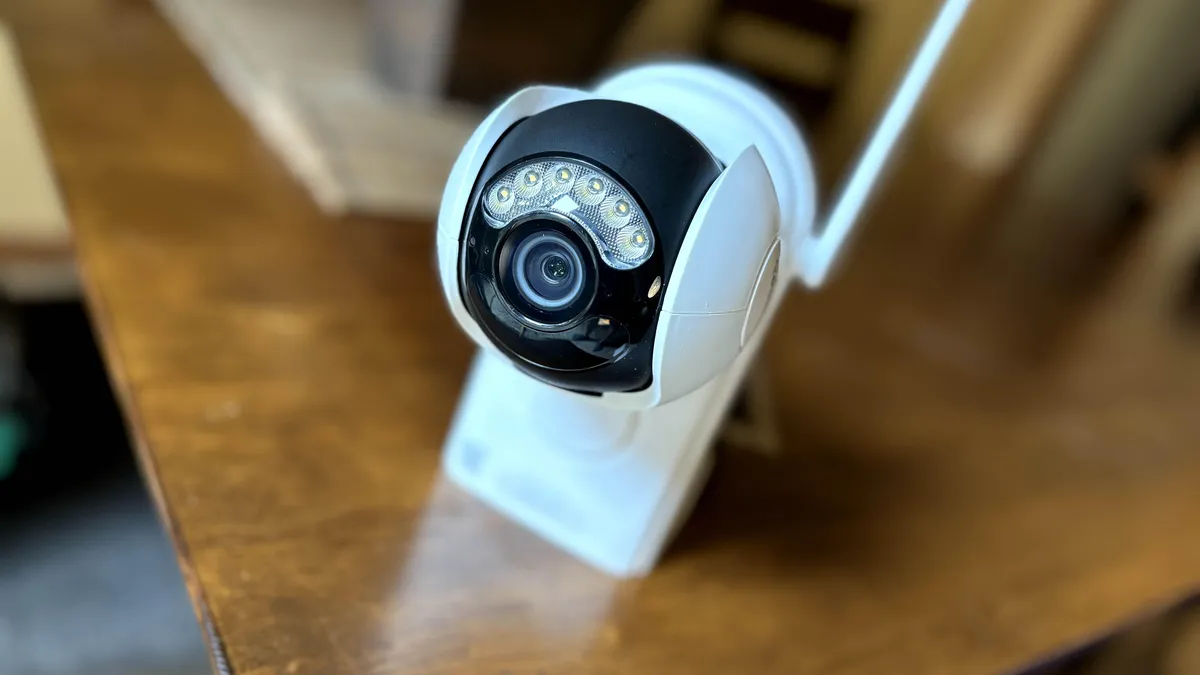
Anti-Tamper and Vandal Resistance
An accessible camera is a defeated camera. Tamper-proof screws, concealed cable and a 3m-plus mounting height remove the three easiest ways to disable a unit. Those are unscrewing it, cutting its cable, and reaching its lens. On public-facing sites, add the same logic to the bracket choice. A junction box bracket hides the connector. Dome housings rated IK10 absorb impacts that would shatter a bullet housing.
Security torx or one-way screws stop casual removal, but the real defense is position. Mount cameras above 3 m on outdoor poles and walls. Keep brackets out of reach of ladders stored on site, and run the cable inside conduit that cannot be cut with a single snip. Where the risk is deliberate, add masking alarms and vibration detection in the recorder software. The system then raises an alert the moment a lens is covered or the housing is knocked, instead of discovering it at review time.
For PTZ units, the housing is the weak point during rotation. Use a full metal housing with a clear polycarbonate window rather than an open-head design where the lens is exposed while parked. Log the firmware and serial numbers at install time. A stolen unit with a known MAC and serial is far easier to identify when it reappears at an online resale site.
Installer Mounting Checklist
Run this list before the ladder comes down. Each item takes seconds and prevents the most common rework calls.
- Height checked: unit sits in the 2.5-4m band (or the scene-specific row from the table above).
- Angle dialed: tilt sits at 15-20 degrees down from horizontal after zoom is set.
- Backlight test: live image shows faces, not silhouettes, at the worst time of day.
- Surface inspected and fixing rated for 2-3 times the camera weight.
- Bracket rated above the camera class, metal matched to the environment.
- Drip loop present on every outdoor cable entry.
- Connectors sealed with boot, tape or junction box; penetrations silicone-sealed.
- Cat5e/6 run measured under 100 m and tested with a cable tester.
- Tamper screws fitted and cable concealed or in conduit.
- Night walk performed: faces identifiable at the planned distances, no IR or fill glare.
The night walk is the one item that cannot be skipped. A mount that looks perfect at noon often frames a black silhouette after dark. The fix is a small angle change that costs ten minutes on the ladder, not a rework call next week.
Mounting Questions Buyers Ask
What height should security cameras be mounted?
The standard band is 2.5-4m. Use 2.5-3m indoors for face identification, and 3-4m outdoors for perimeters. In warehouses, use 4-6m paired with 6-12 mm lenses to hold detail at distance.
What is the best angle for a security camera?
A 15-20 degree downward tilt from horizontal. Flatter angles pick up sky and glare, while steeper angles capture heads and shoulders instead of faces.
How far can a mounted camera see at night?
A full-color camera with an F1.0 lens typically covers 20-30 m in color, while an IR camera covers 30-60 m in grayscale. The mount height and lens focal length decide the usable identification distance, not the light source alone.
Do I need a special bracket for outdoor mounting?
Yes. Use a galvanized or powder-coated bracket rated for 2-3 times the camera weight. Add a junction box bracket for cable transitions, and choose IP66-rated housings on all exposed parts.
How do I stop someone from tampering with a mounted camera?
Use tamper-proof screws and concealed or conduit-protected cable. Keep the mounting height above 3 m. Add IK10-rated domes where impact is likely, and enable masking or vibration alarms in the recorder software.
The Bottom Line
Mounting height, tilt and bracket choice decide whether a camera records evidence or decoration. Hold every fixed camera to the 2.5-4m height band and the 15-20 degree tilt. Kill backlight at the mounting stage. Rate every bracket above the camera it carries, and plan drip loops and tamper resistance before the first drill hole. Do that and the footage survives the weather, the light and the people who would rather it not exist.
At FULLCOLORCAM we build 5MP full-color night vision cameras with F1.0 lenses, IP66 housings and ONVIF conformity. Every unit is tested before shipping, with free P2P remote access included. Send us your site survey with distances and camera count at cj226144@gmail.com. We will recommend the height, angle, lens and bracket plan your building actually needs, not a generic install.
NEXT STEP
Ready to Upgrade to Full-Color Night Vision?
Send us your requirements — our team responds by email.
Written by
Ray ChanCCTV Buyer's Guide Author · Full-Color Night Vision Specialist. Ray helps global importers and integrators source factory-direct security cameras.