
5 Installation Tips for Outdoor Security Cameras (2026)

Table of Contents
A camera that records a wall instead of a face is not a security camera; it is a decoration. Most outdoor installations fail for the same five reasons. The camera is mounted too high, or pointed at the sky. It is blinded by a floodlight, wired with a dangling cable, or fixed to a bracket a screwdriver can remove in seconds. Each mistake is cheap to avoid at the planning stage and expensive to fix after the first incident review. Installers report that most "camera failure" callbacks trace back to mounting and placement errors, not to the hardware itself.
The five installation tips below are ordered by impact. They cover mount height, tilt angle, light direction, cable protection and vandal-resistant fixing. Each tip explains why it matters, how to do it, and the typical parameter to aim for. The same outdoor camera tips apply to bullet cameras, dome cameras and full-color night vision units. They work across our outdoor camera range.
This guide is written for installers, wholesalers and business owners. Installers mount cameras every week, and wholesalers stock them by the pallet. Business owners live with the footage for years. Each tip carries the typical parameter to aim for, so the advice survives contact with a spec sheet. Apply the five tips in order and the installation is 80% done before the first screw is turned.
Keep reading for more!
The Snapshot
- Mount height 2.5-4 m balances face identification against vandal reach. Below 2.5 m the lens is easy to damage; above 4 m faces become unreadable at typical 2.8-4 mm lenses.
- Tilt 15-20 degrees downward keeps the scene in frame and reduces false triggers from sky, headlights and motion at the frame edge.
- Face the light: mount so the sun, lamps and entry lights sit behind the camera. WDR helps, but placement decides.
- Protect the cable run: use IP66-rated junction boxes, drip loops and conduit. Water enters through cable seals more often than through the camera body.
- Vandal-resistant fixing: IK10-rated housings, tamper-proof screws and 8 mm anchor bolts add minutes to installation and years to uptime.
- Night walk test last: verify every camera after dark, because daylight testing misses backlight, IR bounce and coverage gaps.
The 15-Minute Site Survey
Before any ladder work, walk the site with a checklist and a phone. Fifteen minutes of planning removes most of the rework that follows a rushed mount.
- Mark the face zones: doors, gates, tills and loading bays where identification matters.
- Note light paths: sun position at dawn and dusk, lamp positions, reflective surfaces.
- Pick the height band per camera: 2.5-4 m, with the lower end for faces.
- Check cable routes: gland positions, junction boxes, conduit needs and power line crossings.
- Check anchor surfaces: concrete, brick or steel; avoid render and soft block.
- Write the plan down and keep it with the installation record.
The survey takes the same crew the walk would take anyway. The difference is that decisions are made on the ground, not from a ladder, and the numbers are written down before the drill comes out. Site survey results also feed the NVR layout: cameras that share a height band produce views that are easier to review side by side.
Tools and Materials Checklist
Most mounting problems trace back to the wrong tool or the wrong fastener, not to the camera. This list covers the usual outdoor install. Adapt it to the site.
- Drill and 8 mm masonry bits for concrete and brick anchors.
- Torque driver with tamper-proof Torx bits.
- Cable strippers, gel-filled outdoor Cat5e or Cat6, and RJ45 ends.
- IP66-rated junction boxes and cable glands, one set per camera.
- Conduit and clips for exposed runs over 3 m.
- Drip loop slack of 10-15 cm below each camera.
- Spare tamper screws and rubber grommets in the van.
Buy the fasteners before the ladder day. A missing 8 mm anchor bolt is the classic reason a camera ends up fixed with a single screw. That is exactly the failure mode Tip 5 removes. Wholesalers should check that every bulk order includes glands and junction boxes to match the camera count.
Tip 1: Mount Height 2.5-4 m
The tip: Mount the camera between 2.5 m and 4 m above ground level, measured at the lens.
Why it matters: Below 2.5 m a passer-by can reach the lens, the cable or the bracket. Above 4 m the viewing angle becomes steep and a face at the door turns into a hat brim. Identification distance shrinks fast: a 4MP bullet camera with a 2.8 mm lens reads a face at roughly 5-8 m. A camera at 6 m identifies a vehicle but rarely a driver. Courts expect the face zone to be readable, so the mounting height decides how much of the lens range lands on the target zone.
How to do it: Measure the ground at the door or gate before drilling. Mark 3 m on the wall and preview the view with a phone camera at that height. Adjust within the 2.5-4 m band until the face zone fills the frame. For loading bays and vehicle entries, mount toward the lower end. For open yards, mount toward the higher end. When mounting a row of cameras along a fence line, keep every lens in the same height band. It makes NVR views consistent and walk-throughs faster. Worked example: for a single door, use 2.8 mm at 2.5-3 m. For a gate with vehicle approach, use 6 mm at 3-4 m. Space perimeter cameras so neighboring views overlap by about 20%.
Parameter check (typical): 2.5-4 m height, 2.8-4 mm lens for doorways, 6-12 mm for gates. A bullet camera covers a narrow field well; a dome camera suits covered walkways and ceilings. Step-by-step fitting is in our mounting guide.
Tip 2: Tilt Angle 15-20 Degrees
The tip: Tilt the camera downward 15-20 degrees from horizontal.
Why it matters: A level or upward tilt wastes half the frame on sky. It triggers motion alerts from clouds and washes out faces in backlight. A downward tilt also defeats IR bounce: the 850 nm illuminator reflects off flat surfaces and blooms the image. The 15-20 degree band works for most outdoor scenes. Sky and tree-top motion can generate dozens of false events per night; support teams burn hours reviewing them. The same tilt keeps the 850 nm illuminator off flat surfaces, which reduces IR bloom at the frame edge.
How to do it: Set the bracket angle using the camera live view. Start at 15 degrees and walk the perimeter. If the frame shows too much sky, tilt down toward 20 degrees. If it shows only ground at the near edge, tilt back up. Lock the bracket only after the face zone is confirmed in the live view. On varifocal cameras, set the zoom before the tilt; the angle looks different at each focal length. Re-check the tilt after any zoom change. On dome cameras, the recessed lens hides the true angle, so verify with the live view instead of the bracket marks. Worked example: a parking lot camera on a 3 m pole starts at 15 degrees. Walk the rows, and lock at 18 degrees if the near lane fills the lower third of the frame.
Parameter check (typical): 15-20 degrees downward tilt for bullet and dome models. False alarm rates drop measurably when the frame excludes the sky line.
Tip 3: Face the Light Source
The tip: Position the camera so the main light source is behind it, not in front of the lens.
Why it matters: A camera pointed into a setting sun or a bright entry light records a dark subject against a blown-out background. WDR, or wide dynamic range, recovers 10-20 dB of contrast in typical cameras. It cannot create detail that the sensor never captured. Full-color night vision cameras with F1.0 lenses handle low light well; they still struggle when a floodlight shines directly into the lens. The worst backlight arrives at dawn and dusk, when the sun sits low behind the target. A camera tested at noon can look perfect and fail at 19:00, so check the view at the hour the site is busiest.
How to do it: Walk the site at the hour when the light is worst. Note where the sun sets and where entry lamps turn on. Aim the camera along the light path, not against it. If the camera must face a bright zone, raise the mounting height so the light enters at a steeper angle. Enable WDR in the camera or NVR settings as a second layer. For entrances with a porch lamp or a wall light, place the light above and behind the camera. A full-color camera with its own white light fill covers the scene without external lamps. Keep WDR on, but treat placement as the primary fix. Worked example: a west-facing door gets a camera offset 30 degrees to the side, so the evening sun stays out of the lens.
Parameter check (typical): WDR 10-20 dB on standard outdoor cameras, 120-130 dB on high-end units. F1.0 aperture for full-color low light. Full-color night vision range is typically 20-30 m on F1.0 models. Avoid pointing within 30 degrees of a direct light source.
Tip 4: Protect the Cable Run
The tip: Give every cable entry a drip loop, a sealed gland and, where possible, a conduit.
Why it matters: Water follows cables. It runs along the outside of the cable, enters the gland and reaches the circuit board. That is why many cameras fail in the third rainy month, not in the first storm. The camera body may be IP66-rated, but the cable joint is the weak point. In cold climates, water that enters a gland at night freezes and expands; the first thaw can crack the seal.
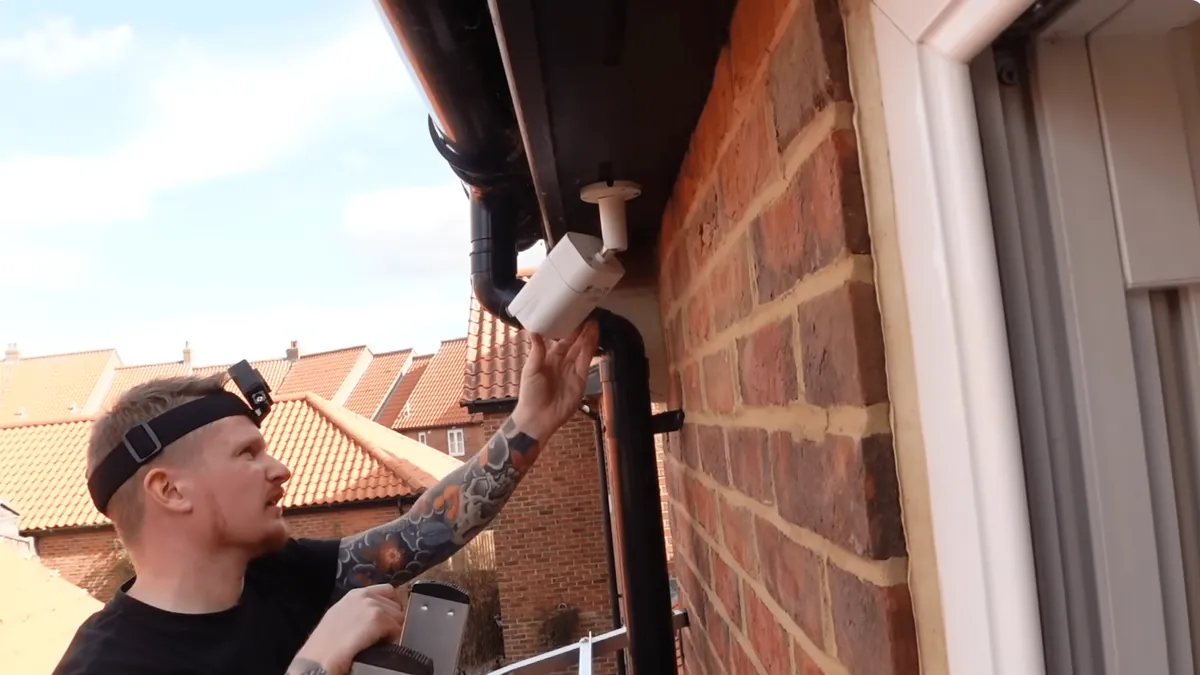
How to do it: Leave a 10-15 cm drip loop below the camera before the cable enters the gland. Face the gland downward. Seal every joint with an IP66-rated junction box. Use conduit for runs longer than 3 m, or for runs exposed to sun, rodents or vehicle traffic. Terminate PoE connections inside the junction box, not in the open. Mount the junction box above the camera, never below it, and face the lid down or sideways. Coil 20-30 cm of service loop inside the box so a failed connector can be re-terminated without pulling the whole run. For PoE, use outdoor-rated Cat5e or Cat6 with a UV-resistant jacket, and use cable clips that do not crush the jacket. Worked example: a 40 m fence-line run gets conduit on the exposed 25 m. The rest of the cable is buried, with IP66 boxes at both ends.
Parameter check (typical): IP66 minimum for outdoor units. PoE cable runs up to 100 m on Cat5e or Cat6. Use shielded cable near power lines. For 12 V DC cameras, keep the power supply within 30 m of the camera to limit voltage drop. A full system walkthrough is in our CCTV installation guide.
Tip 5: Vandal-Resistant Mounting
The tip: Fix the camera so that removing it takes tools the intruder does not carry.
Why it matters: These mounting tips assume the bracket is anchored to a solid structure. A bracket held by two self-tapping screws is a 30-second removal. IK10-rated housings absorb impact. Tamper-proof screws defeat common bits. Eight-millimeter anchor bolts hold the bracket to the wall. The goal is not to make removal impossible; it is to slow it down until the camera has recorded the face doing it. In documented theft cases, cameras with exposed standard screws were removed in under a minute. Anchor choice and screw type decide whether removal takes 30 seconds or five minutes.
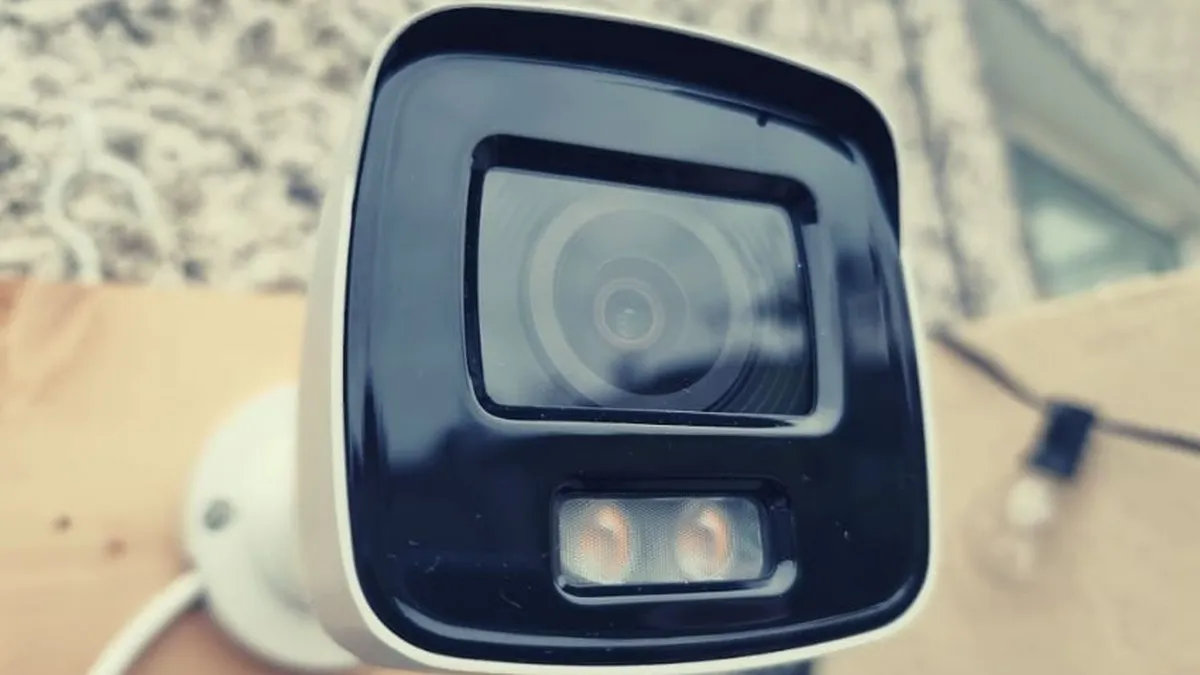
How to do it: Use IK10-rated dome housings in public areas and covered walkways. Replace standard screws with tamper-proof Torx or one-way types. Use 8 mm expansion anchors into concrete or brick. Never rely on render or soft block alone. Position the camera 3 m or higher so the bracket stays out of easy reach. Choose steel brackets for bullet cameras, not plastic. For dome models, pick a metal base plate with a security ring that covers the mounting screws. Put the camera where an intruder must pass close to it, such as above a door, so the recorded face is a usable one. Worked example: a retail yard with a theft history gets IK10 domes above the loading doors, anchored with 8 mm bolts and security rings.
Parameter check (typical): IK10 impact rating, IP66 weather rating, 8 mm anchors. Dome cameras hide the lens orientation, which adds another layer of deterrence. For high-crime sites, add a motion-activated siren or a PTZ camera in the same zone; the deterrence multiplies.
Five Tips at a Glance
The table below summarizes the five installation tips with their typical parameters and the failure each one prevents. General camera placement tips stop at coverage; these five add light discipline and physical protection.
| Tip | Key Parameter (Typical) | Failure If Skipped |
|---|---|---|
| Mount height | 2.5-4 m | Unreadable faces or vandalized camera |
| Tilt angle | 15-20 degrees down | Sky triggers, washed-out faces |
| Light direction | Light behind camera, WDR 10-20 dB | Dark subjects, blown background |
| Cable protection | IP66 gland, drip loop, conduit | Water ingress and camera death |
| Vandal fixing | IK10, tamper screws, 8 mm anchors | 30-second removal |
← swipe to scroll →
The pattern across all five rows is the same. Placement parameters are free to change at the planning stage and expensive to change after mounting. Measure the scene, set the height and angle, then fix the bracket before the camera is unpacked. For typical outdoor scenes the numbers above are a solid starting point; adjust them to the measured distances of your site.
Two numbers deserve a second look. The 2.5-4 m height band is wider than many installers expect. Choose the lower end for face identification and the upper end for wide coverage. The 15-20 degree tilt is easy to get wrong on dome cameras. The recessed lens makes the visible angle differ from the bracket angle. The table also works as a quoting tool. When a customer asks why a camera needs a junction box, point at the row that lists water ingress as the failure. When a wholesaler compares two suppliers, the spec sheet rows for IP66 and IK10 answer most of the quality question.
What Installers and Wholesalers Check
Consumer security camera tips usually stop at "point it at the door". This checklist goes further. It is what an installer verifies before signing off an outdoor job. It is also what a wholesaler should ask a supplier before ordering stock. The list runs one line per camera, so a 16-camera site produces a 16-line record that fits on a single page.
- 1. Mount height measured and recorded per camera (2.5-4 m typical).
- 2. Tilt set within 15-20 degrees and locked.
- 3. Light survey completed at the worst hour of the day.
- 4. WDR enabled and verified on the recorder.
- 5. Drip loops and glands checked on every cable entry.
- 6. Conduit used for exposed runs over 3 m.
- 7. IP66 and IK10 ratings confirmed on the spec sheet.
- 8. Tamper-proof screws and anchor bolts fitted.
- 9. Night walk test completed with stills saved for the client.
- 10. Serial numbers, IP addresses and firmware versions logged.
For wholesalers, the same list becomes a supplier filter. A camera whose spec sheet omits IP66, IK10 or the sensor size will generate returns in the first rainy season. Ask for the spec sheet before the sample, and for the sample before the bulk order. Outdoor camera placement and mounting decisions are the cheapest quality insurance a security camera system has. Keep one signed copy of the checklist per site as a handover document. The night walk test with time-stamped stills proves the camera worked on installation day; that record matters when a claim is disputed weeks later.
Common Questions
How high should an outdoor security camera be mounted?
Between 2.5 m and 4 m, measured at the lens. Below 2.5 m the camera is easy to reach and damage. Above 4 m, faces at a door become too small to identify at typical lens focal lengths.
What angle should an outdoor camera be tilted?
About 15-20 degrees downward from horizontal. The tilt keeps the scene in frame, avoids sky triggers and reduces IR bounce from flat surfaces.
Why does my outdoor camera go white at night?
Usually IR reflection. The 850 nm illuminator bounces off a surface within 1-2 m of the lens, such as a wall edge or a nearby sign. Reposition the camera or adjust the tilt to clear the reflective surface.
Do I need a junction box for an outdoor camera?
Yes, for most installations. An IP66-rated junction box protects the cable joint, which is the most common water entry point. Add a drip loop below the camera so water never runs into the gland.
How far can a PoE cable run outdoors?
Up to 100 m on Cat5e or Cat6 between the camera and the switch. Beyond that, use a PoE extender or move the switch closer. Keep the run away from power lines, and use shielded cable where it must cross them.
The Bottom Line
The five parameters above are the difference between footage that identifies and footage that decorates. They are: 2.5-4 m height, 15-20 degrees tilt, light behind the lens, protected cables, and vandal-resistant fixing. None of them costs money. All of them cost one site walk at the planning stage.
At FULLCOLORCAM we build IP66-rated outdoor security cameras, including bullet and dome models, with 5MP F1.0 full-color night vision and free P2P remote access. Every unit is tested before shipping and ships with ONVIF conformance. Send us your site distances and mounting conditions for a spec-matched quote. Take the light survey at the hour the site is busiest and darkest, and write the numbers down. Send us the result with your camera count, and we will confirm the mounting height, tilt and cable plan before you order.
NEXT STEP
Ready to Upgrade to Full-Color Night Vision?
Send us your requirements — our team responds by email.
Written by
Ray ChanCCTV Buyer's Guide Author · Full-Color Night Vision Specialist. Ray helps global importers and integrators source factory-direct security cameras.