
Wire-Free Security Camera Guide 2026: Battery Life, Solar and Mounting Explained

Table of Contents
Your wire free security camera is dead at the front gate on the night the delivery was stolen. The real failure mode of battery-powered CCTV is not the camera, and not the WiFi. It is an unplanned battery cycle. A typical 5,000-10,000 mAh pack sounds generous on paper. Yet a camera that records continuously drains it in 2-4 days. The same camera on motion-triggered recording stretches it to 4-8 weeks. Add a winter that halves effective solar charge, and add a magnetic mount on the wrong surface. A system that looked cable-free on the box becomes a weekly ladder chore.
This guide explains what a wire free security camera actually is. It covers battery camera selection, and the real 4-8 week battery life math behind 5,000-10,000 mAh packs. It shows when a solar panel makes a camera genuinely cable-free. It covers where magnetic mounts work, and where they fail. It explains the WiFi signal rules that keep a battery camera reachable. It finishes with an honest wire-free vs wired comparison, and a scene-by-scene recommendation table. By the end you can spec a wire-free system that survives a year of weather without becoming a maintenance contract.
Keep reading for more!
The Snapshot
- A wire free security camera is a camera with no video cable and no power cable: it runs on an internal rechargeable battery (typically 5,000-10,000 mAh) and sends video over WiFi, so the only installation is the mount itself.
- Battery life is a recording-mode decision, not a capacity decision: the same 8,000 mAh pack lasts roughly 2-4 days on continuous recording, 2-4 weeks with motion-triggered clips, and 4-8 weeks in typical home use with a quiet scene.
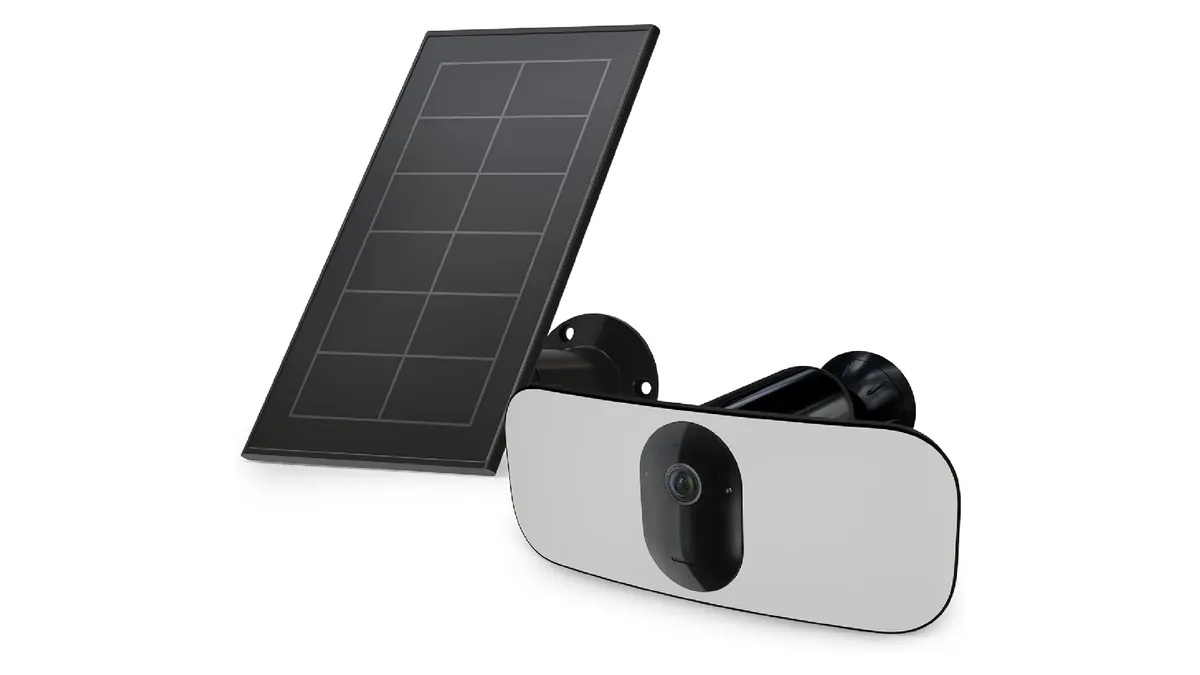
- A solar panel changes the arithmetic: a 5W panel in good sun typically delivers 12-20 Wh per day, which covers the 2-4 Wh a motion-mode battery camera needs, making the unit genuinely wire-free for months at a time.
- Magnetic mounts hold 10-20 kg typically, but only on steel: on aluminum, wood or vinyl siding they fall off, and most wire-free cameras sold with magnetic bases also accept a screw plate for permanent mounting.
- The WiFi link is the other half of wire-free: a battery camera spends most of its life asleep, so it needs -60 dBm or better signal at the mount and a router that does not drop slow clients, so plan the radio before you plan the battery.
What Is a Wire-Free Security Camera?
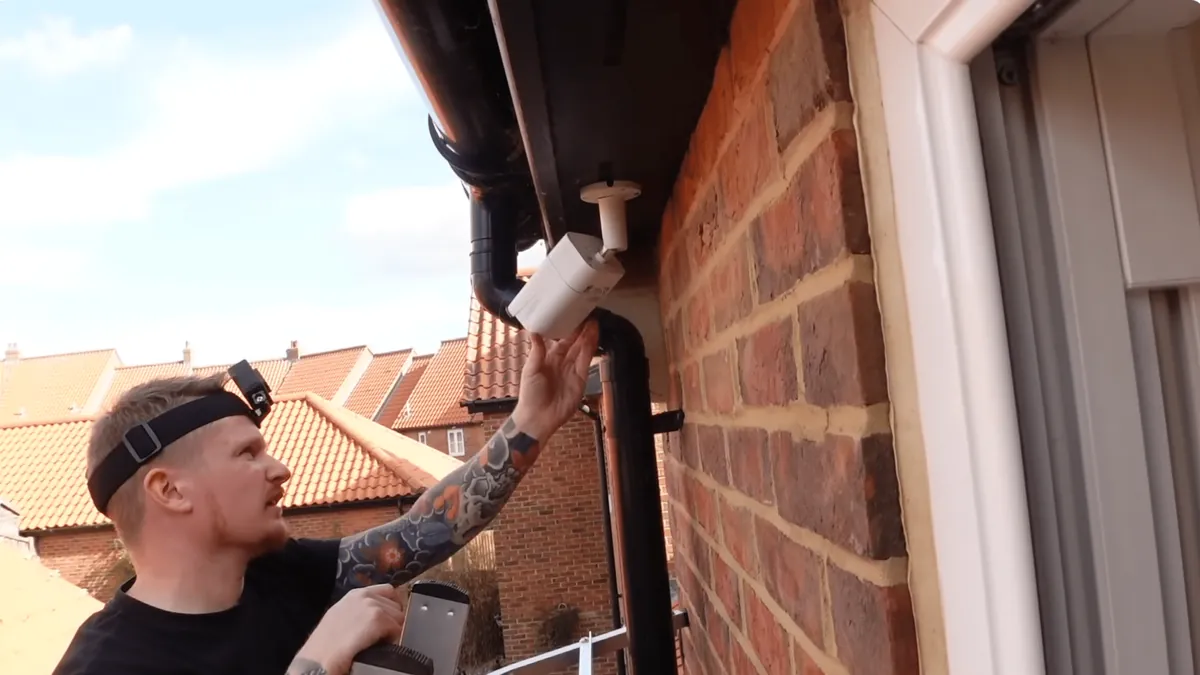
A wire free security camera is often called a wireless battery camera or a battery-powered camera. It is a security camera that carries its own power source, and sends video over WiFi. Neither a video cable nor a power cable reaches the mounting point. The distinction from a plain WiFi camera matters. A plug-in WiFi camera is wireless for data, but still needs a 12V or 5V adapter at the wall. A wire-free unit is genuinely cable-free. The only thing touching the mount is the camera itself.
1. The three wire-free families
The first family is battery-only. An internal pack (typically 5,000-10,000 mAh) powers the camera for weeks. You recharge it by lifting the camera off its mount, every 4-8 weeks in typical use. The second family is battery plus solar. A small panel (3-10W typical) tops the battery up every day. That extends the charge interval to months, or indefinitely in good sun. The third family is battery with a USB charging port. It is just the battery family with a friendlier recharging interface. Most battery security camera products sold today are one of these three. The solar variant is the fastest-growing, because it removes the recharging chore entirely.
2. What "wire-free" does and does not mean
Wire-free means no cables at the camera. It does not mean no network. The camera still needs a WiFi signal to stream and receive alerts. It does not mean no maintenance either. Batteries age, firmware needs updates, and event clips still need storage. A buyer who expects zero upkeep from wire free home security cameras is usually disappointed by the charging schedule. The camera itself is rarely the problem. The honest mental model: wire-free trades cable installation for a battery and radio budget you must plan.
3. Form factors and what stays the same
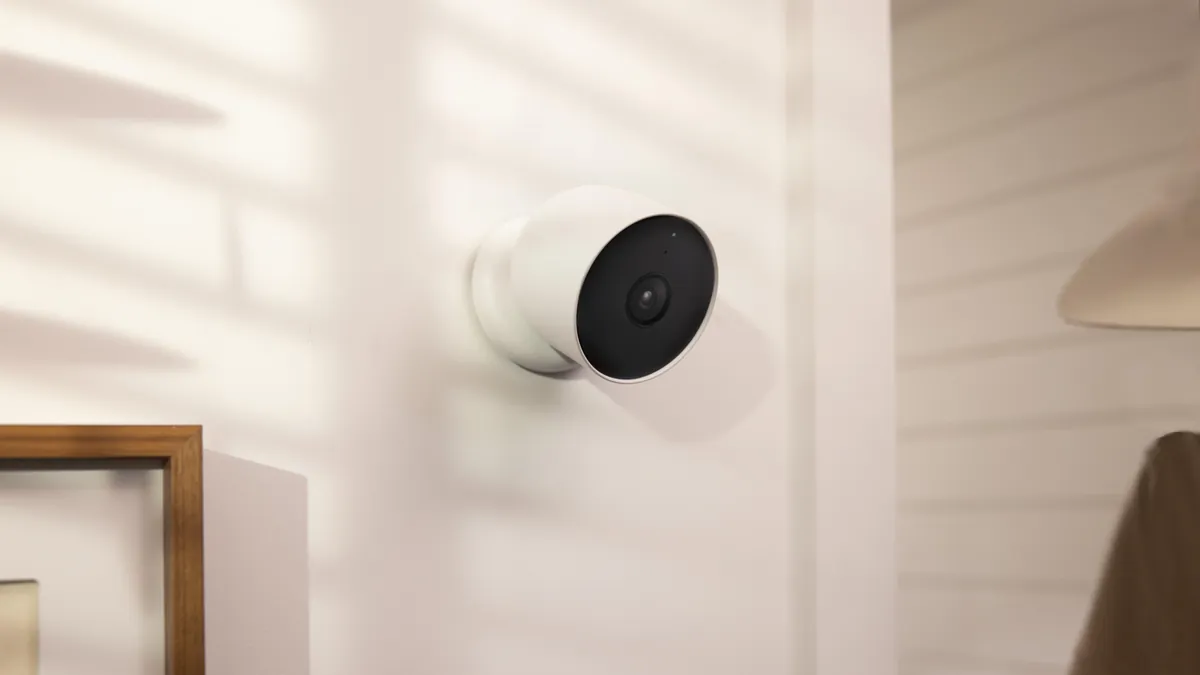
Wire-free cameras come as bullet-style outdoor units, compact indoor pucks, doorbell-style units, and magnetic mini cameras. The magnetic mini units clip to a steel shelf or gate. Under the housing the architecture is the same as any network camera. There is a sensor (typically 2MP-5MP), a processor, and a WiFi radio. It has an SD card slot, and a PIR motion sensor. The PIR wakes the camera from sleep. It is the battery's best friend. It lets the camera sleep at under 0.5W, and only burn full power when something actually moves.
How to Choose a Battery-Powered Security Camera
A battery security camera is chosen by four numbers: capacity, recording mode, PIR sensitivity, and weather rating. Most buyers compare only capacity. That is why so many systems under-deliver. The table below shows the typical runtime ladder for the standard pack sizes.
| Pack capacity | Typical energy | Continuous recording | Motion mode (quiet scene) | Motion mode (busy scene) |
|---|---|---|---|---|
| 5,000 mAh | ~18.5 Wh | 5-9 hours | 2-4 weeks | 1-2 weeks |
| 8,000 mAh | ~30 Wh | 8-14 hours | 3-6 weeks | 2-3 weeks |
| 10,000 mAh | ~37 Wh | 10-18 hours | 4-8 weeks | 2-4 weeks |
← swipe to scroll →
1. Capacity is the ceiling, mode is the reality
A 5,000 mAh pack at 3.7V holds about 18.5 Wh. A camera in active recording draws roughly 2-4W. So continuous recording empties the pack in 5-9 hours. That is why nobody runs battery cameras continuously. In motion-triggered mode the camera sleeps at 0.3-0.5W. It wakes for 15-30 second clips. A 5,000 mAh pack typically delivers 2-4 weeks on a normal scene. A 10,000 mAh pack reaches 4-8 weeks. Event-heavy scenes cut those figures by half. Busy yards and shop doors are typical examples.
2. What the spec sheet must state
Ask the supplier for the mAh rating, the standby draw in milliamps, and the PIR detection angle and distance. Ask for the maximum SD card size, the IP rating, and the operating temperature range. A battery wireless camera spec that omits standby draw is hiding the number that decides battery life. For outdoor units, IP65 or IP66 is the baseline. The operating range should cover -20°C to 50°C. Cold cuts usable battery capacity by 20-40% typically.
3. Resolution and night vision trade-offs
Higher resolution and better night vision cost battery. A 5MP full-color night vision sensor with an F1.0 lens produces excellent color footage at night. It draws more power than a 2MP IR unit. The white-light fill LEDs consume 2-5W while active. For wire-free cameras, the typical balance is 2MP-4MP with motion-triggered full-color clips. That is enough evidence quality for a gate or yard, without exhausting the pack. If you need continuous 5MP full-color recording, that is a solar-plus-battery or wired conversation. It is not a battery-only conversation.
Battery Life: Typical 4-8 Weeks from 5,000-10,000 mAh
The "4-8 weeks" claim on wire-free camera boxes is real. It assumes a quiet scene, moderate temperature, and motion-triggered recording. Understanding the math lets you predict your own number. You will not be surprised by it.
1. The weekly energy budget
A typical motion-triggered camera records 20-40 clips per day, at 15-30 seconds each. That is about 10-20 minutes of active recording daily. At a 3W average draw during clips, recording uses roughly 0.75-1.5 Wh per day. At 0.4W in sleep, standby adds 9-10 Wh per day. An 8,000 mAh pack (about 30 Wh) covers 7-12 days on a busy scene. The same pack covers 20-40 days on a quiet one. The advertised 4-8 weeks matches the quiet end of that range. Event-heavy or cold environments typically cut the figure in half.
2. What drains the pack fastest
Five things shorten battery life. Continuous or long recording schedules are first. High PIR sensitivity triggers on cars and trees. Cold weather drops capacity by 20-40% below freezing. A weak WiFi signal makes the radio retry at higher power. Live-view sessions stream video on demand. Of these, the WiFi link is the silent killer. A camera at -80 dBm spends its battery negotiating retries instead of sleeping.
3. How to stretch the interval
Set the recording length to 15-20 seconds per event. Draw motion zones that exclude roads and bushes. Keep the camera on 2.4GHz with an RSSI above -60 dBm. Disable any always-on live stream. With those settings, a 10,000 mAh battery security camera typically reaches the full 4-8 week interval. With a solar panel attached, the charging interval stops mattering altogether.
Solar Panels: The Truly Cable-Free Upgrade
A solar panel turns a battery camera from "recharge every month" into "install and forget". The panel must be sized to the site. The pairing rule is simple. The panel must replace the energy the camera spends every day. It needs margin for cloudy days.
| Panel wattage | Typical charge (good sun) | Typical charge (overcast) | Best for |
|---|---|---|---|
| 3W | 6-10 Wh/day | 2-4 Wh/day | Quiet sheltered scenes, small packs |
| 5W | 12-20 Wh/day | 4-7 Wh/day | Standard outdoor battery cameras |
| 10W | 24-40 Wh/day | 8-14 Wh/day | Event-heavy sites, winter, 5MP full-color |
← swipe to scroll →
1. Sizing the panel to the camera
A motion-mode battery camera spends roughly 1.5-2.5 Wh per day. A 5W panel in good sun (4-6 effective hours) typically delivers 12-20 Wh per day. That is five to ten times the camera's need. It is exactly the margin required to survive a week of overcast weather. A 3W panel is the minimum for a quiet indoor or sheltered scene. A 10W panel suits event-heavy sites, higher resolution, or northern winters. Northern winters can drop effective sun to 2-3 hours.
2. Where solar wire-free works and where it does not
Solar wire-free cameras work on gates, fences, yards, farms, sheds and construction perimeters. Anywhere the panel faces the sky without a roof overhang works. They struggle under dense tree cover. North-facing walls in winter are a problem too. Indoors there is no direct sun at all. For those sites, a larger pack or a 4G solar unit with a bigger panel is the honest answer. Our project CCTV system range and the solar security camera guide cover the sizing in detail.
3. Cold weather and charging curves
Cold is the double penalty for solar wire-free. The panel produces less on short winter days. The battery holds less charge at low temperature. Lithium packs below 0°C typically lose 20-40% of usable capacity. Charging below freezing can damage cells, unless the camera's charger compensates. The practical fix is a larger panel and a larger pack. The classic pairing for winter sites is a 10W panel with a 10,000 mAh pack. That pairing typically sustains 4-8 weeks without any sun at all.
Magnetic Mounts and Placement Flexibility
The magnetic mount is the wire-free camera's superpower. It turns a five-minute install into a five-second one. A single camera can cover multiple angles as needs change. The mount has a hard physical limit. It only sticks to steel.
1. Holding force and surface reality
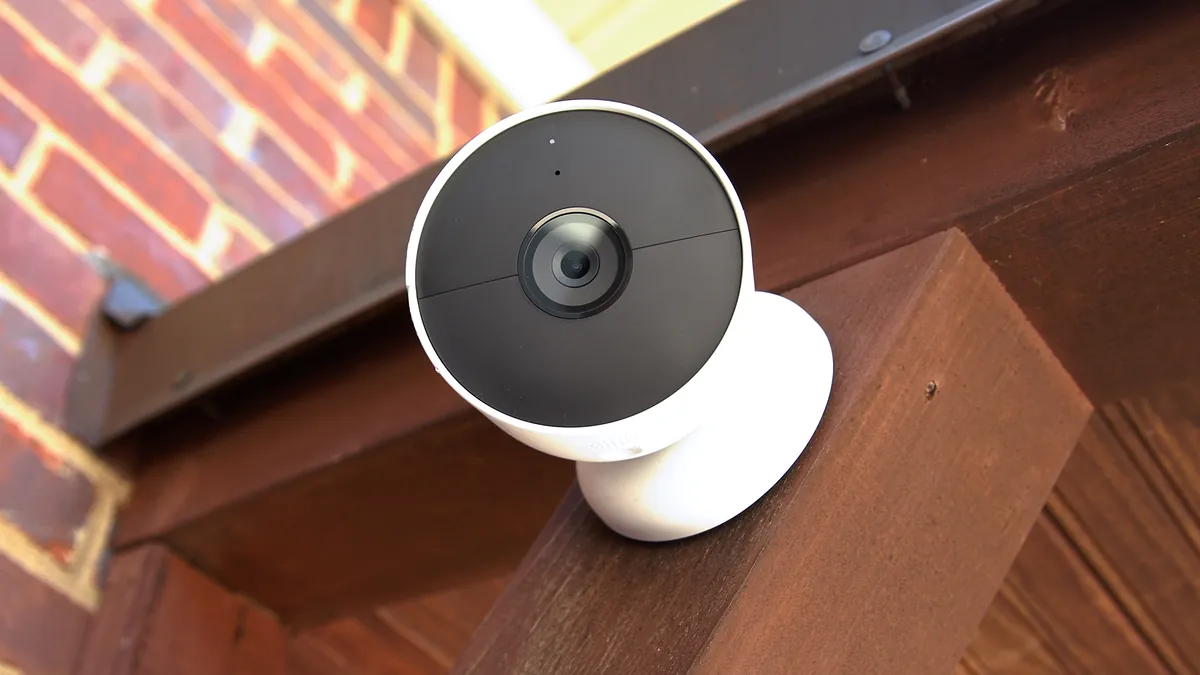
A typical magnetic base holds 10-20 kg of pull force. That is far more than the camera's own weight. The danger is not the magnet's strength, but the surface. Steel gates, steel posts, fridge doors and steel shelves hold perfectly. Aluminum and weakly magnetic stainless grades do not. Neither do wood, vinyl, brick, or painted plasterboard. Most wire-free cameras ship with both a magnetic base and a screw plate. The professional habit is to screw the plate where you can. Use the magnet only for temporary positions.
2. Placement rules for magnetic cameras
Mount at 2.5-3.5 m height, with the lens aimed down 10-20 degrees for face capture. Keep the antenna clear of metal. The mount itself can shadow the radio. Check that the PIR field of view covers the approach path, rather than the wall. For indoor units, a steel shelf or door frame at head height is a natural spot. Our indoor camera range shows the compact magnetic form factors.
3. Theft and tamper considerations
A camera that installs in five seconds can be removed in five seconds. For public-facing positions, use the screw plate or the anti-theft lock. Most magnetic cameras include an anti-theft lock. Enable the tamper alarm, so a lift-off triggers a push alert. The practical rule: use the magnet for convenience inside and on private property. Screw down anything a stranger can reach.
WiFi Signal, Placement and Reliability
A wire-free camera is a WiFi client that sleeps most of the time. That changes the radio rules, compared with a constantly-streaming camera. The two failure modes are low signal and slow-client drops. Both are preventable.
1. The RSSI target for battery cameras
Measure signal strength at the mount before committing. Target -60 dBm or better. Treat -67 dBm as the edge. Below -75 dBm, a battery camera will miss events. The radio spends its waking seconds reconnecting instead of streaming. A 2.4GHz link crosses 2-3 drywall walls typically. Concrete, foil insulation and metal siding are the killers. For outbuildings and gates, add a mesh node or a second access point. Avoid repeaters, because they halve throughput per hop. They also add reconnect latency that a sleeping camera notices.
2. Band choice and router settings
Most battery cameras are 2.4GHz-only, because 2.4GHz penetrates walls and sips less power. Keep the camera on 2.4GHz even if it supports 5GHz, unless it sits close to the router. The 5GHz range penalty and higher radio power cost battery. On the router, disable band-steering for the camera's MAC if the option exists. Extend the DHCP lease. Check that the router does not aggressively kick idle clients. A camera asleep for 30 minutes can look gone to an aggressive AP. It can be refused on wake.
3. What to test before mounting for good
Pair the camera, and mount it temporarily. Then walk away and check three things. Check the RSSI reading in the app. Check that live view connects within 2-5 seconds of wake. Check a full power cycle: pull the battery, reinsert, and confirm it reconnects without re-pairing. The full WiFi decision framework, including WPA3 and network security, is in the WiFi security camera guide.
Wire-Free vs Wired: The Honest Comparison
Wire-free cameras are not wired cameras without cables. They are a different product with different economics. The table below shows where each one wins. The full argument is in our wired vs wireless security camera comparison. This table is the short version.
| Factor | Wire-free (battery/solar) | Wired (PoE) |
|---|---|---|
| Power | Internal battery, recharged every 4-8 weeks typically, or solar | Continuous from the cable (IEEE 802.3af/at) |
| Data link | WiFi, shared airtime | Dedicated Ethernet, deterministic |
| Recording | Motion-triggered clips by design | 24/7 continuous or scheduled |
| Installation | Minutes, no drilling for cables | Cable runs, termination, conduit |
| Reliability | Battery, signal and cold weather factors | Cable, switch port and PoE sag factors |
| Maintenance | Recharge, panel wipe, firmware | Camera cleaning, cable checks |
| Best for | Retrofit, rentals, gates, temporary sites | New builds, evidence-critical perimeters |
| Cost at scale | Low install, recurring battery cost | Higher install, lower running cost |
← swipe to scroll →
1. Where wire-free genuinely wins
Wire-free wins wherever cabling is expensive or impossible. That means rented premises, finished interiors, gates, and outbuildings across a yard. It also means construction sites that move, and temporary events. Installation takes minutes, and the camera moves in minutes. A magnetic mount means zero drilling for data or power. For a homeowner covering a driveway and a back gate, a wire-free system typically delivers coverage in an afternoon. A wired system would take days to complete.
2. Where wired still wins
Wired (PoE or coaxial) wins on continuous recording, evidence reliability, and total cost at scale. A PoE camera records 24/7 with deterministic bandwidth. A wire-free camera records events and sleeps. So it can miss the 2 a.m. incident that starts outside the PIR's zone. For a business perimeter where every night must be on tape, wired is the standard. Wire-free is the supplement.
3. The hybrid pattern most sites should run
The professional answer is both. Run wired PoE for the critical perimeter and entrances. Use wire-free battery or solar cameras for retrofit spots, outbuildings and temporary coverage. Both feed the same app or NVR. The wire-free units cover the gaps where the cable run would cost more than the camera. This hybrid is how most commercial sites actually deploy. It is the pattern our wireless camera range is built around.
Which Scenes Suit Wire-Free Cameras
The scene table below maps common sites to the right wire-free configuration. It shows the typical battery and solar pairing for each.
| Scene | Wire-free configuration | Why |
|---|---|---|
| Driveway / gate (quiet) | 5,000-8,000 mAh + 5W solar | Few events, good sun, solar sustains it |
| Back garden / shed | 8,000-10,000 mAh, optional 5W solar | Moderate events, winter margin |
| Loading dock / yard (busy) | 10,000 mAh + 10W solar, or wired | High event rate drains packs fast |
| Rented flat interior | Compact magnetic, 5,000 mAh | No drilling, stable indoor temperature |
| Construction site | 10,000 mAh + 10W solar, or 4G | Moves weekly, no mains power |
| Shop front (public) | Screw-mounted, tamper alarm on | Anti-theft, public exposure |
← swipe to scroll →
The pattern: quiet outdoor spots run on solar. Busy outdoor spots run on larger packs or wired. Indoor retrofit spots run on compact magnetic units. Nothing with a roof overhang runs on solar. When in doubt, size the pack for the scene's event rate. A quiet gate at 10 events a day needs a third of the battery of a loading dock at 200 events a day.
Winter, Firmware and Long-Term Maintenance
Wire-free cameras trade installation effort for a small, predictable maintenance routine. Plan for it and the system runs for years. Ignore it and it fails in the first winter.
1. The charging and cleaning rhythm
Battery-only units need a recharge every 4-8 weeks in typical use. Solar units need a panel wipe every 2-3 months. They also need a full-charge check before winter. Cold weather is the stress test. Below -10°C, plan for roughly half the usual interval. Prefer cameras whose operating range covers -20°C to 50°C.
2. Firmware and account hygiene
Check the manufacturer's firmware update policy before buying. A battery camera that cannot update is a fixed vulnerability on your network. Change the default admin password. Disable WPS, and use WPA3 on the router. Never port-forward to the camera. Use the app's P2P relay or a VPN for remote viewing. A wire-free camera with SD card storage keeps recording locally even when the WiFi drops. That is a genuine advantage over cloud-only units.
3. When to replace, when to recharge
Lithium packs typically hold 70-80% of rated capacity after 300-500 charge cycles. That is roughly 2-3 years of weekly-ish charging. On solar it is 3-5 years. If a camera starts needing recharges twice as often, the pack is aging. Most wire-free cameras let you swap the battery without replacing the camera. Factor a spare pack into any volume order.
B2B Buying: The Wholesale Checklist
For importers, integrators and resellers, wire-free cameras are a high-margin category. They have a specific failure profile. The procurement checklist is different from wired cameras.
1. Specs to demand in writing
Ask for the mAh rating and cell type, and the standby draw in milliamps. Ask for the PIR angle and distance, and H.265 encoding. H.265 halves storage and radio time. Ask for SD card support, IP65+ housing, and the operating temperature range. Ask for the solar panel wattage, connector type, and the magnetic base pull force. Ask for the anti-theft lock mechanism. Every one of these maps to a field the supplier's datasheet should already have. A supplier who cannot state standby draw is not ready for volume.
2. What wholesalers check before a container order
Request a sample batch, and run a 30-day test. Record battery drain on a real scene. Check RSSI at the planned mounting points. Verify that firmware updates are actually delivered. Confirm that the app's P2P works without port forwarding. Confirm MOQ, lead time, the written warranty term, and the RMA process in writing. For solar variants, ask for the panel's real-world output spec. Ask for a winter-case sizing note too.
3. Why battery cameras are a good B2B category
Wire-free cameras solve the retrofit problem that wired quotes keep losing. Customers who cannot drill or cable still buy coverage. The category also builds recurring value. Spare batteries, solar panels and mounts are natural add-on SKUs. The risk is returns from battery disappointment. That is why the checklist above exists. Spec the standby draw, and set the customer's expectation at 4-8 weeks typical. Then the category sells itself.
Wire-Free Camera Questions Buyers Ask
How long does a wire-free camera battery last?
Typically 4-8 weeks on a 5,000-10,000 mAh pack, with motion-triggered recording on a normal scene. Continuous recording drops that to 2-4 days. Busy or freezing scenes cut the figure roughly in half.
Do wire-free cameras need WiFi?
Yes, for live view and alerts. The camera streams over your WiFi network. Without WiFi it can still record to its SD card. But you cannot watch, or receive notifications, until it reconnects. Solar 4G units are the exception, because they use cellular instead.
Can a wire-free camera record 24/7?
Not practically on battery. Continuous recording empties a 5,000-10,000 mAh pack in 2-4 days. Continuous 24/7 recording is a wired or solar-plus-battery conversation. Wire-free units are designed around motion-triggered clips.
Do solar wire-free cameras work in winter?
Yes, with planning. Winter means 2-3 effective sun hours, colder batteries, and shorter days. The typical fix is a 10W panel with a 10,000 mAh pack. That carries the camera through weeks without sun.
Are magnetic mounts secure?
The magnet itself holds 10-20 kg typically. That is far more than the camera weighs. But it only sticks to steel. For public-facing positions, use the screw plate or the anti-theft lock. Enable the tamper alarm.
What is the difference between wire-free and wireless?
A wireless camera has no video cable, but still needs a power adapter. A wire free camera has no video cable and no power cable. It runs on battery, and often a solar panel. Every wire free security camera is wireless. But not every wireless camera is wire-free.
How much WiFi signal does a battery camera need?
Target -60 dBm or better at the mount. Treat -67 dBm as the edge. Below -75 dBm the camera wastes its waking seconds reconnecting. It misses events. A 2.4GHz link typically crosses 2-3 drywall walls.
The Bottom Line
A wire free security camera is specified by three numbers: pack capacity, standby draw, and PIR-driven recording mode. Plus one radio number: the RSSI at the mount. Choose a 5,000-10,000 mAh pack for 4-8 weeks of typical motion-triggered life. Add a 5-10W solar panel where the sky is visible, to make it truly cable-free. Use the magnetic mount only on steel. Use the screw plate for anything public. Verify -60 dBm WiFi before you mount for good. For sites that need continuous 24/7 evidence, wired remains the standard. The hybrid of a wired perimeter plus wire-free retrofit is the pattern most sites should run.
At FULLCOLORCAM we build 5MP full-color night vision wire-free and solar security cameras. They use F1.0 lenses, H.265 encoding, PIR-triggered recording, and IP66 housings. Every unit is tested before shipping. Free P2P remote access is included. Batteries and panels ship as separate SKUs, for easy scaling. Send your site description, event rate, and sun conditions to cj226144@gmail.com for a spec-matched quote. We will tell you the pack size, panel wattage, and mount the site actually needs.
NEXT STEP
Ready to Upgrade to Full-Color Night Vision?
Send us your requirements — our team responds by email.
Written by
Ray ChanCCTV Buyer's Guide Author · Full-Color Night Vision Specialist. Ray helps global importers and integrators source factory-direct security cameras.