
How to Choose Wireless vs Wired Security Cameras: A Decision Guide (2026)

Table of Contents
A distributor installs 24 "wireless" cameras in a warehouse. By the third week the night shift reports frozen feeds on the far side of the building. The cameras are fine. The radio link is not. Every wall, every pallet rack and every other client on the access point steals signal. The promised stream drops below the frame rate a client will accept. A wired system fails differently. A bad termination is found with a cable tester in minutes, not chased as an RF ghost for days. This guide is a decision framework for buyers who must choose between a wired security camera and a wireless security camera. Use it before you commit a project budget.
The framework is simple. Choose wired when the site is fixed and cable work is possible. Choose wireless when speed and flexibility matter more than a guaranteed link. We compare reliability, bandwidth, power, installation difficulty, cost and scenarios, then finish with a scenario-to-recommendation decision table you can paste into a quote. Typical numbers throughout. No vendor claims.
Keep reading for more!
The Snapshot
- Wired (PoE): one Cat5e/6 cable carries power and data; typical max run 100m (328ft); a 4MP camera draws 6-12W.
- Wireless (WiFi): no cable to the camera, but video shares airtime; budget 2-4 Mbps per H.265 camera and keep signal above -60 dBm.
- Reliability: a wired link runs typical 99.9%+ uptime; a WiFi link depends on placement, band and interference.
- Install time: 4 cameras on WiFi take about 1-2 hours; 4 cameras wired take about 4-8 hours for two people.
- Cost: an 8-camera system lands in the same range either way; typical $900-1,700 wired vs $800-1,500 wireless over five years.
What Is a Wired Security Camera (PoE)?
A wired security camera connects to the network with an Ethernet cable. Power over Ethernet (PoE) sends power and data down the same cable, so the camera needs no wall adapter. Standards matter here. IEEE 802.3af delivers up to 15.4W per port, typical 12.95W. IEEE 802.3at (PoE+) delivers up to 30W for PTZ, heater or full-color floodlight models. This is why integrators call the best wired security camera systems the backbone of commercial CCTV.
1. PoE in practice
Each camera needs one Cat5e or Cat6 run to a PoE switch or a PoE NVR. An 8-port PoE switch with a 120W budget powers eight 4MP cameras with headroom. Distance is the hard limit: 100m (328ft) maximum per run. Beyond that, add a mid-span PoE extender or a second switch. Plan conduit, junction boxes and drip loops before you pull cable.
PoE budget math is simple. Add the maximum draw of every camera, then leave 20% headroom on the switch. A typical 4MP camera draws 6-12W depending on IR LEDs and heaters. Full-color cameras with floodlights sit at the top of that range. For one distant camera, a mid-span PoE injector beats a second switch.
2. Why wired wins on stability
A dedicated cable is a dedicated link. No neighbor network competes for it, no wall attenuates it and no firmware update reconfigures it. Faults are physical and findable. A cable tester locates a bad termination in minutes. That traceability matters in B2B projects where a client wants proof the system is sound. Put cameras on their own VLAN and enable 802.1X where the switch supports it.
What Is a Wireless Security Camera (WiFi)?
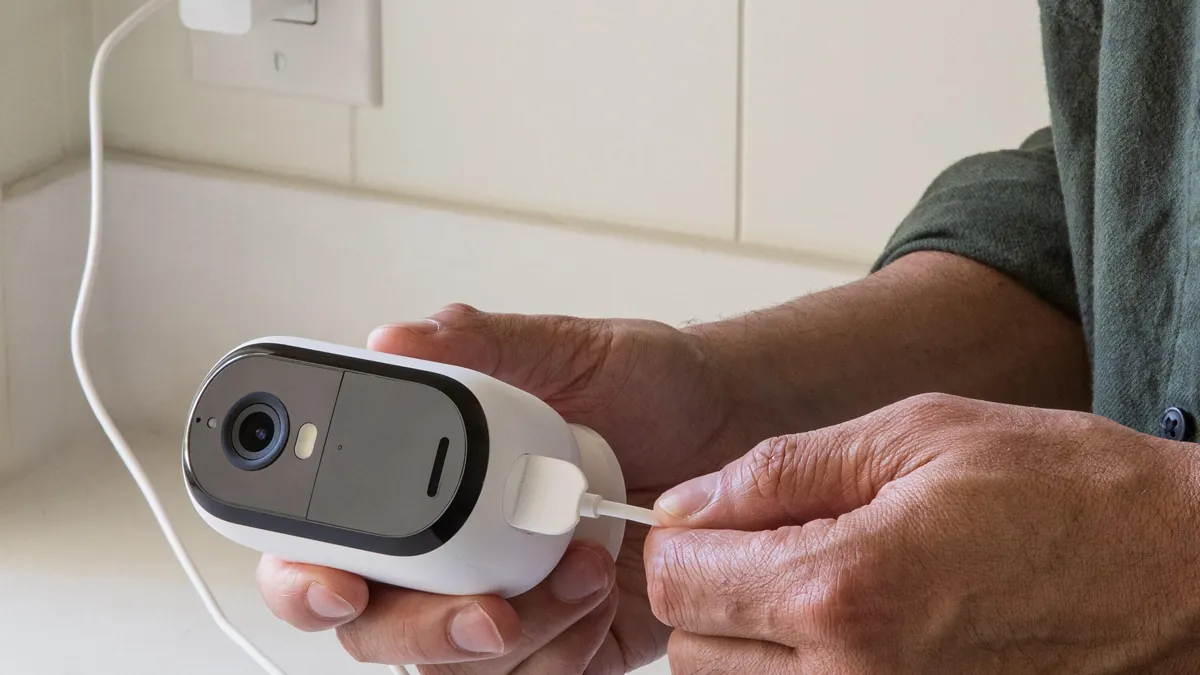
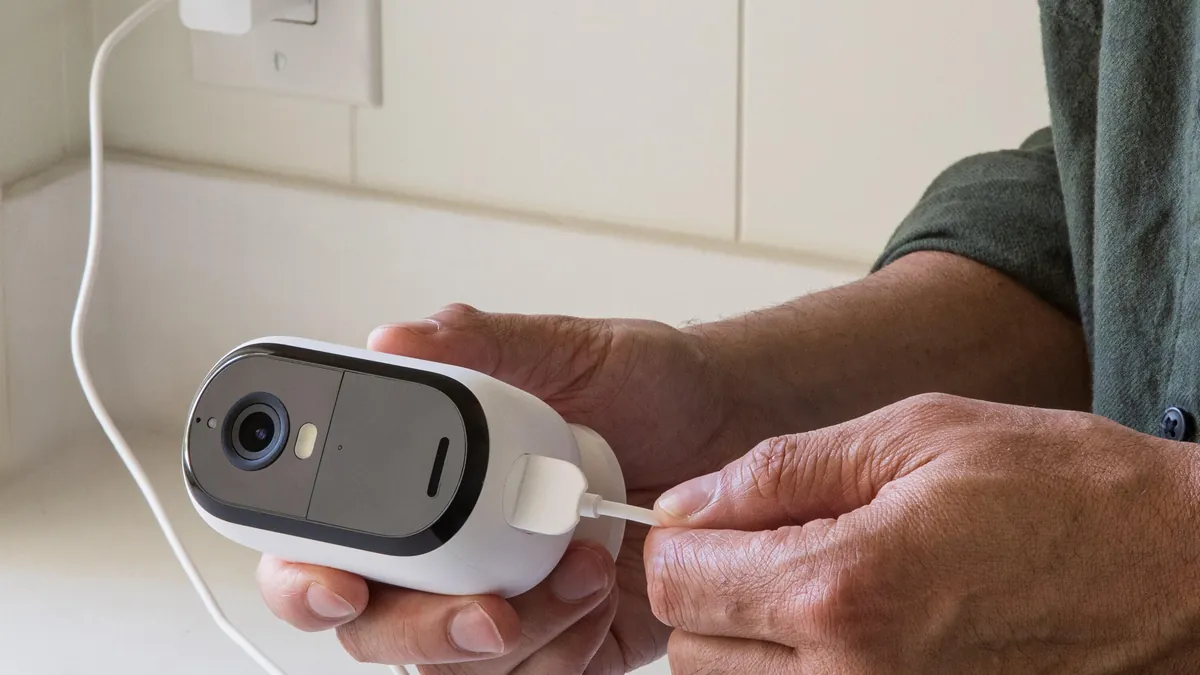
A wireless security camera replaces the Ethernet cable with a built-in radio (IEEE 802.11b/g/n/ac/ax). Video is encoded in the camera and streamed over WiFi to an NVR, an app or an SD card. Important: wireless describes the video link only. The camera still needs power, from an adapter, a battery or a solar panel. Buyers who search "wire free home security camera" usually mean battery or solar models with local storage and no monthly fee.
1. Signal physics you cannot negotiate
Radio links obey physics. A typical drywall wall costs 3-5 dB of signal; concrete costs 15-25 dB. The 2.4GHz band reaches 30-60m indoors but offers only three non-overlapping channels (1, 6 and 11). The 5GHz band is faster and less crowded but loses far more signal through walls. Every camera on one access point splits the same airtime. A practical rule: 4-8 cameras per access point, and keep the received signal above -60 dBm.
2. What wireless still requires
Wireless security cameras with local storage keep footage on an SD card, typical 128-256GB, which is the no-subscription path. Network security is non-negotiable: enable WPA3, disable WPS and never port-forward to a camera. Use P2P or a VPN for remote access. Wireless camera installation is fast: mount, pair, place. That speed is the product.
Wired vs Wireless: Key Differences
The "wireless vs wired cctv" question comes down to six dimensions that matter to a project buyer: reliability, bandwidth, power, installation difficulty, cost and scenarios. The table below is the short version; the notes after it are the long version. Data marked typical reflects common deployments, not marketing maxima.
| Factor | Wired (PoE) | Wireless (WiFi) |
|---|---|---|
| Reliability | Dedicated cable; typical 99.9%+ link uptime | Shared airtime; dropouts from walls, congestion and AP limits |
| Bandwidth | Full camera bitrate on LAN; 4MP H.265 about 2-4 Mbps | Same bitrate over air; capacity divides across every client |
| Power | PoE from switch or NVR; no adapter at the camera | Adapter, battery or solar at every camera |
| Installation | Cable run per camera; 4-8 hours for 8 cameras | No cable; 1-3 hours for 8 cameras |
| Cost | Typical $35-90 per camera plus cable and switch | Typical $40-120 per camera; no cabling |
| Scenarios | Fixed sites, perimeters, retail, warehouses | Rentals, retrofit, temporary sites, quick adds |
| Expansion | Add cameras to switch ports; 100m per run | Add clients to an AP; more cameras, more congestion |
| Maintenance | Cable faults traceable with a tester | RF issues need site survey and re-tuning |
← swipe to scroll →
The "wireless cctv camera vs wired" argument is rarely about video quality. Both can deliver 4MP or 8MP with H.265. The difference is where the link lives. A wired link lives in copper you can test. A WiFi link lives in radio spectrum you share with everything around you.
At scale the choice settles faster. At 16 cameras, wired cable work pays for itself in stability. At 32 cameras, WiFi needs multiple access points, careful channel planning and VLAN separation to stay clean. Wired still wins on determinism. Wireless wins when you cannot pull cable at all.
For B2B buyers this is a project decision, not a gadget decision. Run a site survey first. Count mounting points, measure wall materials and locate power and network drops. Then size the power budget. A 16-port PoE switch with a 250W budget is typical for 16-20 cameras at 12W each, with headroom for heaters. On the wireless side, count access points before counting cameras. Plan one AP per 4-8 cameras and one survey per floor.
Ask your supplier for both architectures on the same quote. A distributor that only sells one side has a reason. Compare camera prices, switch and access point costs, labor hours and the maintenance plan side by side. A professional quote states the link type per camera, the power budget and the survey assumptions.
Reliability: Cable vs Radio
Reliability is the first question a client asks. A wired link is deterministic. Once the termination tests clean, the link behaves the same at 3 a.m. and at 3 p.m. Typical uptime for a properly installed wired system is 99.9% or better, limited mainly by the switch and the recorder, not by the link.
A WiFi link is probabilistic. Signal changes with door positions, forklift movements, rain and neighboring networks. A camera that pairs fine at 10 a.m. can drop at night when an access point reaches its client limit. For continuous recording, this is the single biggest risk in a wireless build.
Packet loss shows up as stutter, not as a clean disconnect. WiFi retransmits lost frames, and each retry doubles the airtime a stream consumes. A camera at -68 dBm may deliver smooth video at 9 p.m. and stutter at 6 p.m. when the building fills with phones. For a site that records continuously, schedule a load test with all cameras streaming before you accept the handover.
Evidence chains push projects wired. Footage that must survive a dispute needs a recorded link with no unexplained gaps. If a client asks for continuous recording at 8MP, wired is the safe default. Document the cable plant in the handover file.
Bandwidth and Network Planning
Every camera consumes bandwidth, and the two architectures spend it differently. A wired camera uses the LAN switch fabric. A 4MP camera with H.265 streams about 2-4 Mbps. Sixteen cameras add roughly 32-64 Mbps to the switch, which a 1 Gbps backbone absorbs easily.
WiFi spends the same bitrate over air, and airtime is shared. One access point on 5GHz may claim 866 Mbps theoretical, but real throughput is 30-50% of that under load. Divide that among 4-8 cameras plus phones and laptops, and the margin disappears fast.
The rule for wireless sites: budget 2-4 Mbps per H.265 camera, add 20% for management traffic, then size the access points. Keep the received signal above -60 dBm at every camera. A signal below -70 dBm causes retransmissions that eat twice the airtime.
Channel planning is the bandwidth discipline of wireless builds. In 2.4GHz, use channels 1, 6 and 11 on neighboring access points and never reuse a channel on two APs that overlap. In 5GHz, prefer DFS-free channels where clients are common. A 32-camera wireless site typically needs 4-8 access points with a written channel map, not automatic channel selection left to the radios.
For wired sites, the bandwidth plan is simpler but still real. Put cameras on a dedicated VLAN so broadcast traffic and camera streams never share a segment with office devices. Use 1 Gbps switch uplinks and plan the NVR port with headroom.
Power Delivery: PoE, Adapters and Batteries
Power is where "wireless" gets confusing. A wireless camera still needs electricity. Only a wire free camera runs without any cable at all, on battery or solar. Buyers often discover this after purchase: the "wireless" unit they ordered still needs a 12V adapter at the wall.
Wired (PoE): power comes from the switch or NVR port. IEEE 802.3af gives up to 15.4W per port, typical 12.95W. IEEE 802.3at (PoE+) gives up to 30W for PTZ, heaters and full-color floodlights. One UPS on the switch keeps the whole camera fleet recording through a power cut.
Wireless with adapter: the cheapest wireless path, but every camera needs a power outlet and a wall adapter. Typical adapters are 12V DC at 1-2A. This is the hidden cable: video is wireless, power is not.
UPS sizing is the forgotten part of the power budget. An 8-camera PoE site with a 120W switch draws about 1.5A at 220V. A 1000VA UPS keeps that load recording for roughly 20-30 minutes, enough for a clean shutdown or a generator handover. Wireless builds with adapters need one UPS per adapter location, which is why sites that must record through outages drift back to PoE.
Wire free battery and solar: battery life depends on activity. A typical battery camera recording only on motion lasts 4-8 weeks per charge. Solar panels of 5-10W keep the battery topped up in sunnier sites. Wire free is the easiest install and the highest maintenance, because every battery is a future service call.
Installation Difficulty: Hours vs Days
Installation difficulty is usually the tiebreaker. Wireless camera installation is measured in hours: mount, pair, place. A 4-camera wireless job runs about 1-2 hours for two people. Wired installation is measured in days: pull cable, terminate, test, commission. The same 4 cameras wired take about 4-8 hours, and a 32-camera wired site can take a week.
The wired cost is not the cable. It is the labor of routing: drilling, conduit, fire stops, junction boxes and dressing. In a finished office, opening walls is often impossible, which is why retrofit projects go wireless. In a new build, cable is cheap and walls are open, which is why new construction goes wired.
Site survey decides the estimate. Walk the site, count mounting points, measure wall materials and note where power and network drops land. A 30-minute survey prevents a week of rework. Ask for a survey before any quote on a site with more than 8 cameras.
Commissioning is where wired builds earn their reputation. After termination, test every run for continuity, pinout and length, then check PoE wattage at the camera. The test sheet goes into the handover folder. A wireless build is commissioned by walking the site with the app. Check signal at each camera and note the band and channel in the record. Both take about an hour per site; the wired test is the one a client can verify.
Cost Comparison: Wired vs Wireless
Whether you buy wired or wireless security cameras, the five-year cost lands closer than most buyers expect. Hardware is similar. The difference sits in cabling, labor, power and maintenance. The table uses typical numbers for an 8-camera system.
| Cost item | Wired (PoE) | Wireless (WiFi) |
|---|---|---|
| 8 cameras, hardware | Typical $350-700 (cameras plus 8-port PoE NVR) | Typical $320-900 (cameras; no switch needed) |
| Cabling and materials | Typical $80-200 (Cat5e/6, connectors, conduit) | Typical $0-40 (mounting only) |
| Installation labor | Typical 8 hours for two people | Typical 2-3 hours |
| Power | One PoE switch, one UPS | Adapters or batteries; battery swaps yearly |
| 5-year maintenance | Rare cable faults; easy to trace | AP upgrades, battery replacement, RF re-tuning |
| Subscription | None with a local NVR | None with local storage; cloud plans typical $3-10 per camera monthly |
| 5-year total, typical | $900-1,700 | $800-1,500 |
← swipe to scroll →
Read the table as ranges, not quotes. Labor rates vary by region, and cable runs vary by site. The pattern holds: wireless is cheaper to start and slightly cheaper over five years at small scale. At 16-32 cameras the gap closes, because wired cabling cost amortizes while access point costs multiply.
Budget the extras on both sides. Wired builds need a switch, conduit and a UPS. Wireless builds need access points, and sites over 8 cameras usually need more than one. Put both in the quote before comparing totals.
Decision Table: Match the Scenario to the System
The fastest way to choose is to match the site to a pattern. The table below maps common scenarios to a recommendation, with the reason in one line. Use it as a first pass, then confirm with a site survey.
| Scenario | Recommended | Why |
|---|---|---|
| Warehouse or factory floor | Wired PoE | High camera count, fixed racks, continuous recording |
| Retail store or bank branch | Wired PoE | Evidence quality, audit-ready cable plant |
| Parking lot or perimeter | Wired PoE | Long runs, weather, 24/7 recording |
| Rental apartment or office | Wireless | No drilling, no landlord approval |
| Construction site or event | Wire free (battery/solar) | Temporary, relocates with the job |
| Finished office retrofit | Wireless | Walls cannot be opened |
| Mixed or large site | Hybrid | PoE backbone plus WiFi for unreachable areas |
← swipe to scroll →
A wired security camera system earns its cost where the pattern says fixed and permanent. A wireless system wins where the pattern says temporary, rented or unreachable. When a site mixes both, run the hybrid option in the next section.
One pattern to avoid: high camera counts on a single access point. If a site needs more than 8 wireless cameras, plan multiple access points and a channel map before the first mount.
Use the table in three steps. First, list every area that needs coverage. Second, mark each area fixed or temporary. Third, pick the recommendation for the majority, then handle the exceptions with hybrid wiring. The table is a first pass; the site survey is the final word.
- Fixed areas with high camera counts: wired.
- Temporary or rented spaces: wireless.
- No power at the mount point: wire free battery or solar.
- Mixed building: hybrid with a written VLAN plan.
The Hybrid Option: Wired Plus Wireless
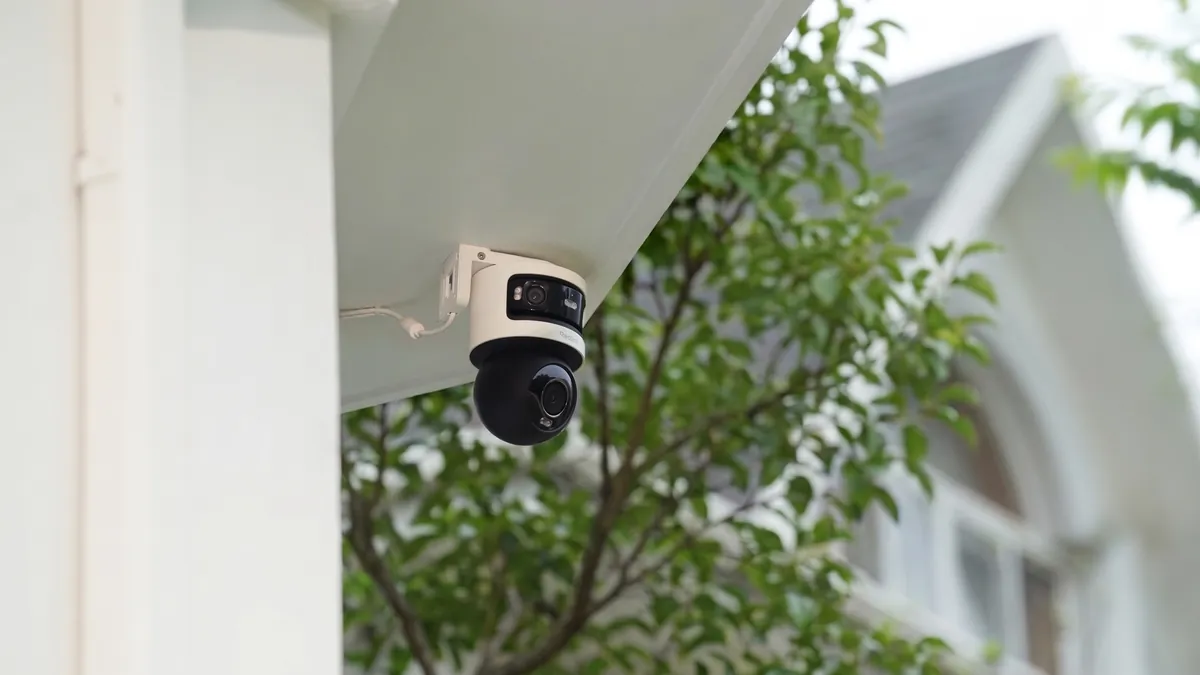
The hybrid option is often the strongest project answer. Run PoE for the critical perimeter and WiFi for the areas you cannot reach. One NVR manages both, so operators see a single timeline. A typical hybrid: 16 wired cameras on the switch backbone plus 4 wireless cameras on a dedicated access point. Keep wireless traffic on its own VLAN so a radio problem never touches the wired streams.
Rules for hybrid systems: never overload one access point, keep firmware versions aligned and document which camera uses which link. The hybrid path costs a little more in planning and pays back in resilience. Most 2026 integrator quotes mix the two on purpose.
Hybrid also fixes the two classic failure modes. The wired side removes the single-point radio risk for critical cameras. The wireless side covers areas where cable work costs more than a camera. Budget the access point like a switch port: one AP per 4-8 cameras, mounted high, away from metal racks and HVAC ducts. Test the wireless link at the worst hour of the day before you sign off.
Quick Answers
Which is more reliable, wired or wireless?
Wired. A tested cable link runs typical 99.9%+ uptime. A WiFi link depends on placement, band, congestion and building materials. For continuous recording or evidence footage, wired is the safe default.
Do wire free cameras need WiFi?
Wire free cameras still need a network connection for remote viewing, usually WiFi, unless they use 4G. Battery and solar models record to an SD card when the link drops. The "wire free" label only means no cable, not no network.
Which costs less over five years?
At small scale, wireless is slightly cheaper: typical $800-1,500 vs $900-1,700 wired for 8 cameras over five years. At 16-32 cameras the totals converge because cabling amortizes while access points multiply.
Can I mix wired and wireless cameras in one system?
Yes. Most NVRs accept both PoE and WiFi cameras on the same recorder. Keep wireless cameras on a separate SSID or VLAN and cap each access point at 4-8 cameras. The hybrid setup is a standard commercial pattern in 2026.
The Bottom Line
Choose the link first, then the camera. Choose a wired security camera when the site is fixed, the count is high and footage must be dependable. Choose a wireless security camera when speed, mobility or cable access decides the project. For most commercial sites, run PoE for the perimeter and WiFi for the edges. Spec the link before you buy the hardware, and the system works for years.
At FULLCOLORCAM we manufacture 4MP and 5MP full-color night vision security cameras with F1.0 lenses in Guangzhou, factory-direct for importers and integrators. Our range covers PoE, WiFi and wire free battery and solar models. Every unit is tested before shipping, ONVIF-conformant and paired with free P2P remote access. Send your site plan and camera count to cj226144@gmail.com for a spec-matched quote. We will tell you the link, power and storage your building actually needs, not the biggest number we can sell.
NEXT STEP
Ready to Upgrade to Full-Color Night Vision?
Send us your requirements — our team responds by email.
Written by
Ray ChanCCTV Buyer's Guide Author · Full-Color Night Vision Specialist. Ray helps global importers and integrators source factory-direct security cameras.