
Warehouse CCTV Guide: Placement, Setup and Storage for Security Buyers (2026)

Table of Contents
A 12,000 m² warehouse with 9 m racking is a wall of blind spots. A person inside a rack aisle is invisible to cameras mounted at the loading dock. An incident at 02:00 with no usable footage becomes a lawyer's question, not a security report. The fix is a warehouse CCTV system designed by zone, not by camera count. Every zone needs a camera type, a lens, a mounting height and a storage budget before the first hole is drilled.
This guide covers warehouse cctv from the floor up. We map the zones that matter: high rack aisles, loading docks, transit corridors and emergency exits. We show how a PTZ cruise camera and fixed bullet cameras split the workload. We cover low-light performance in high bays, NVR capacity for 24/7 recording, network and power budgets, and employee area compliance. By the end you can hand an integrator a warehouse camera placement plan and a storage calculation, not a vague request.
Keep reading for more!
The Snapshot
- Plan by zone, not by camera count: a 10,000 m² site typically needs 16-40 cameras, with the number set by rack rows, dock doors and exits rather than floor area alone.
- Pair PTZ cruise with fixed bullets: fixed bullet cameras record 24/7 without blind spots, while a PTZ unit patrols preset tours and zooms up to 25x optical for license plates and faces.
- High bays need full-color night vision: a 5MP F1.0 full-color camera reads color to 20-30 m in zero light, where IR-only units wash out on dark racking at 6-12 m.
- Size the NVR for 24/7 recording: a 5MP camera with H.265+ records about 10-14 GB/day, so sixteen cameras keeping 30 days need a 6-8TB recorder.
- Compliance is a design input: privacy masking in employee areas, staff notice and a 30-day retention policy are cheaper to plan than to retrofit.
What Is a Warehouse CCTV System?
A warehouse CCTV system is a network of cameras, recorders and switches arranged to cover the zones where goods, vehicles and people move. The typical deployment mixes 4MP and 5MP IP cameras, one or more PTZ units, PoE switches and a central NVR. Sites run from a 2,000 m² dispatch depot with 8 cameras to a 50,000 m² distribution center with 64 or more.
The defining feature of warehouse surveillance is scale plus darkness. Racking blocks sightlines, so cameras must be mounted high and aimed down aisles. Dock doors open onto truck yards where light changes fast. High bay lighting switches off after hours, leaving 6-12 m of dark steel between the racks. A system that performs at 14:00 must still perform at 02:00, and that requirement filters every component choice below.
The second defining feature is the evidence standard. Warehouse incidents are usually disputes: a damaged pallet, a missing carton, a dock accident, an exit-door breach. Footage must identify a person and a barcode at distance, in color, around the clock. That standard drives lens selection, resolution, recorder capacity and retention policy. A camera that records a blur is decoration, not evidence.
The system diagram is simple even at scale. Fixed bullet cameras cover the interior zones and record continuously. PTZ units cover the yard and the dock line and respond to events. All feeds land on an NVR sized for the camera count and the retention window. The hard work is not the hardware list; it is the zone map that decides where each camera goes and which lens it carries.
Warehouse Camera Placement: Racks, Docks, Aisles and Exits
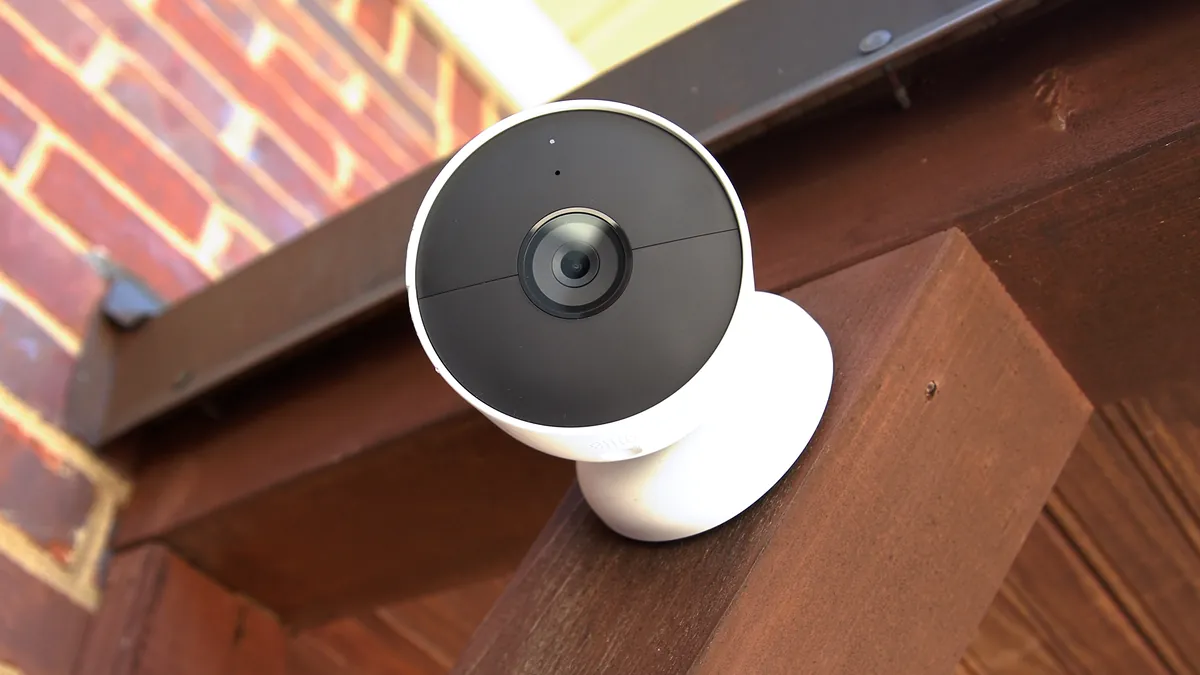
Warehouse camera placement starts with a zone map. Draw the floor plan and mark every rack row, dock door, corridor, exit and equipment room. Then assign each zone a camera type and a lens. The table below is a typical starting point for a 10,000-20,000 m² site. The numbers are representative, not a substitute for measuring your own aisles.
| Zone | Camera Type | Mounting Height | Lens | Coverage Goal |
|---|---|---|---|---|
| High rack aisle | Fixed bullet 5MP | 4-6 m | 6-12 mm | Face and pallet label at 10-20 m |
| Loading dock | Fixed bullet 5MP | 4-5 m | 2.8-4 mm | Dock door, truck bed and approach |
| Transit corridor | Fixed bullet or dome 4MP | 3-4 m | 2.8 mm | Person flow and direction |
| Emergency exit / gate | Fixed bullet 4MP | 3-4 m | 4-6 mm | Door breach and plate ID |
| Office / admin counter | Dome 4MP | 2.5-3 m | 2.8 mm | Face ID at the counter |
| Yard / perimeter | PTZ 5MP | 4-6 m | 25x optical | Patrol and zoom-in on activity |
← swipe to scroll →
High rack aisles are the priority. A camera mounted at 4-6 m with a 6-12 mm lens identifies a person at 10-20 m down the aisle. Use one camera per aisle where pallet positions must be read, or one per two aisles where general flow is enough. The 5MP 4:3 frame helps here because it captures more vertical scene. You get the rack face and the aisle floor in the same shot.
Loading docks deserve a camera per door. A dock door left open for 30 minutes is an invitation. The camera should capture the door, the truck bed and the approach lane in one frame. Mount at 4-5 m to clear forklift masts. Use WDR, typically 120 dB, to hold the contrast between a bright truck yard and a dim interior. This is the zone where color matters most, because vehicle color and jacket color are the first details a report asks for.
Transit corridors and exits get wide-angle coverage. A 2.8 mm lens covers a long corridor with a few cameras. Every emergency exit gets a dedicated unit aimed down the door line. Exits are the most common escape path for internal theft, so treat them as critical rather than secondary. A camera at 3-4 m on the exit line captures the face of anyone leaving, which is the evidence that settles most missing-stock disputes.
A storage facility camera plan covers the same zones with the same logic. Cold storage, bonded warehouses and cross-dock facilities all follow the zone map, with housings rated for the environment. Freezer-rated cameras survive -30°C, dusty zones use IP66 housings, and wash-down areas need sealed domes. The zone map stays the same; only the housing and the lens change.
PTZ Cruise and Fixed Bullet Cameras: Why You Need Both
A logistics camera system that runs on fixed cameras alone leaves one gap: nobody can zoom into an incident while it happens. A system that runs on PTZ cameras alone leaves a different gap: a panning unit is always looking somewhere else. The proven combination is fixed bullet cameras for continuous 24/7 coverage, plus one PTZ for active monitoring and incident response.
PTZ cruise is the behavior that makes one PTZ worth several fixed cameras. The unit patrols a preset tour between programmed positions, typically 4-8 presets covering the yard, the dock line and the rack ends. Patrol speed is typically 20-90 degrees per second, and the tour repeats every 1-5 minutes depending on site size. When motion is detected, the PTZ jumps to a preset. It zooms to 25x optical and follows the subject. That turns a patrol camera into an identification camera in under a second.
The division of labor is simple: fixed bullets own the zones where history matters, and the PTZ owns the zones where reaction matters. In a typical warehouse, one PTZ covers a yard or a main dock line while 8-20 fixed bullets cover the interior. That mix keeps the camera count honest and the evidence continuous. A site with two yards gets two PTZ units, each with its own preset tour.
| Attribute | Fixed Bullet Camera | PTZ Camera |
|---|---|---|
| Coverage | Fixed field, no blind spots | Sweeps a tour, one field at a time |
| Recording | Continuous, always on the scene | Continuous tour, zoomed detail on alarm |
| Identification | Set by lens at install | Zoom to 25x on demand |
| Maintenance | Low, no moving parts | Motors and gears, periodic checks |
| Best role | Aisles, docks, doors, exits | Yard, perimeter, incident response |
← swipe to scroll →
Plan the PTZ presets before commissioning, not after. Walk the yard, pick the positions that matter, and program the tour in the NVR or the camera's own interface. Set a home position that returns the lens to a neutral view after each patrol cycle. PTZ maintenance is a small but real line item. Motors and gears wear, so a quarterly check of the pan-tilt mechanism keeps the unit from drifting off its presets.
Low Light and High Bays: Full-Color Night Vision
A warehouse security camera must survive the two worst lighting conditions in commercial property. Those are the glare of high bay lighting at 14:00 and total darkness at 02:00. High bay fixtures run at 6-12 m and throw harsh shadows between rack rows. After hours the same space drops to near-zero lux, and most warehouse losses happen in that window.
Full-color night vision answers both conditions. A 5MP camera with an F1.0 lens and a 1/1.8-inch sensor records color in near darkness. A built-in white-light fill extends that color range to 20-30 m on a fixed camera. The white light also works as a deterrent. A lit aisle at 02:00 reads as an occupied building. Most casual intruders pick the dark site next door instead.
Compare that with an IR-only camera. IR at 850 nm illuminates the scene but records grayscale, and on dark racking at 6-12 m the image washes into silhouettes. Grayscale footage cannot answer what color a jacket or a pallet was. For warehouse evidence, color is not a luxury; it is the difference between a description and a guess. A truck that leaves the yard at 03:00 is identified by color and plate, and only color footage supplies the first part.
WDR matters as much as darkness. A dock camera faces a bright truck yard while the interior sits in shadow, and a plain camera clips one end of the frame. WDR at 120 dB is the typical spec that holds both ends, and it should be standard on dock and door cameras. Full-color night vision plus WDR covers the two extremes, which is why the pairing is the warehouse default rather than a premium option.
NVR Capacity and 24/7 Storage Math
Warehouse recording is 24/7 by default. Unlike a retail floor that can record on motion only, a warehouse loses evidence the moment a camera stops. Pallets move at 03:00, doors open at odd hours, and motion-only recording misses the slow walk that matters. Continuous recording at 10-15 fps is the working standard for the main stream.
The storage math is linear and unforgiving. A 4MP camera with H.265+ records about 8-12 GB/day. A 5MP camera records about 10-14 GB/day. With H.264 the same cameras roughly double both figures. The table below shows typical NVR sizing for a 30-day retention window; add 20% headroom to whatever you read from it.
| Camera Count | 4MP H.265+ | 5MP H.265+ | 8MP H.265+ |
|---|---|---|---|
| 8 cameras | 2-3TB | 3-4TB | 5-6TB |
| 16 cameras | 4-6TB | 6-8TB | 10-12TB |
| 32 cameras | 9-12TB | 12-16TB | 20-24TB |
← swipe to scroll →
Choose the NVR for the camera count plus headroom. A 16-channel recorder suits a 12-camera site, a 32-channel recorder suits a 20-camera site, and so on. Recorders with 4 drive bays typically support 8-16TB per bay, which covers most mid-size warehouses with room for 90 days on the sub-stream. Check the NVR's channel count against the final zone map before you buy; the recorder is the hardest component to upgrade after commissioning.
Two habits keep the storage bill down. First, enable H.265+ and keep the main stream at 15 fps. Second, record the sub-stream at 1-2 Mbps for the long archive and the main stream for the short window. That two-tier policy is how a 32-camera site fits on a 12-16TB recorder instead of a 30TB one. For high-value zones, a RAID 1 mirror on the recorder adds a second copy of footage that survives a drive failure.
Network, PoE Switches and Power Budget
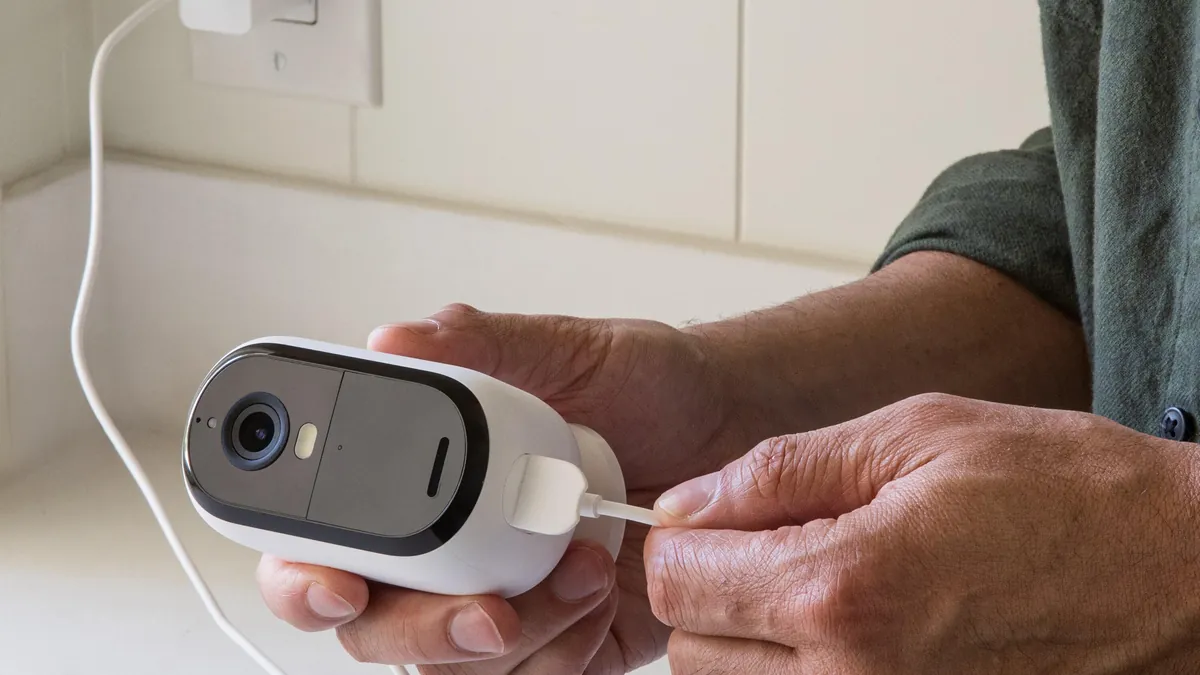
Warehouse networks are longer than office networks. Cat5e or Cat6 runs support PoE to 100 m. A large site needs a switch-room strategy. Use a 24 or 48-port PoE switch per zone, or remote switch boxes fed by fiber. A 5MP camera typically draws 5-12W, so a 250W PoE budget supports roughly 16-20 cameras per switch with headroom for the next expansion.
PTZ units change the power math. A PTZ with motors and heaters can draw up to 30W. That means 802.3at (PoE+) ports for PTZ runs and 802.3af (15.4W per port) for fixed cameras. Budget the switch port by port rather than by average, because one PTZ on the wrong switch can brown out the whole bank. Label every port with the camera ID at install and the audit takes minutes instead of an afternoon.
Segregate the camera network from the office LAN. A dedicated VLAN keeps NVR traffic off the office network, and a multi-building site gets one VLAN per building plus a fiber backbone between them. Assign static IP reservations per camera MAC so the NVR mapping stays stable across reboots. Run NTP on every camera so clocks align, which keeps the timeline review honest when footage goes to an insurer or a labor hearing.
Power reliability is part of the spec. A UPS on the NVR and the core switch keeps recording alive through a 15-30 minute outage. PoE switches on UPS power keep cameras online in the same window. Forklift traffic, dock doors and freezer compressors cause voltage dips, so check the switch's surge rating before it goes into a plant environment.
Mounting and Installation Tips for Warehouses
Mounting rules follow the zone map. Rack aisle cameras go at 4-6 m, aimed down the aisle at 15-25 degrees below horizontal. Dock cameras go at 4-5 m, high enough to clear forklift masts and stacked pallets. Every unit is fixed to steel or concrete with rated brackets, never to the racking itself. Rack vibration smears footage, and forklift bumps knock aim loose.
Use 6-12 mm lenses in rack aisles and 2.8-4 mm at docks and doors. The lens decides identification distance, not the megapixel count. A 6 mm lens on a 5MP sensor identifies a person at roughly 15-20 m; a 2.8 mm lens at about 5-8 m. When distances vary along one aisle, a motorized varifocal lens (2.8-12 mm) helps. The installer tunes the view on site instead of guessing at order time.
Follow the cable rules from the first drop. Drip loops at every entry, waterproof glands on outdoor runs, and cable ties every 50 cm on long horizontal runs. Terminate and label every drop before commissioning, then test each camera for focus, angle and night performance on the same day. For the full height, tilt, backlight and bracket procedure, see our guide on how to mount security cameras. It covers the same rules in more detail.
Employee Area Compliance and Privacy
Warehouse CCTV watches employees as much as intruders, and that makes compliance a design input rather than an afterthought. Privacy masking is the first tool: block or blur zones where staff change, rest or store personal items. Most cameras and NVRs support privacy masks natively, and configuring them at install is far cheaper than defending their absence later.
Notice, retention and access are the three pillars. Staff should be told in writing that cameras operate in work areas and what the footage is used for. A 30-day retention default is typical for warehouse footage, with 90 days for incident zones. Access to recordings should be logged and limited to named people, because an unmanaged archive is a liability the moment a dispute reaches a lawyer.
Local labor law and union agreements can limit camera placement in break rooms and locker areas. Where doubt exists, cover the perimeter of the room instead of the room itself. Audio recording is restricted or forbidden in many regions, so keep warehouse audio off by default and document that choice. A compliant system still deters and records. It simply does it inside the legal frame, which makes the footage usable in the first place.
How to Choose: Checklist for Warehouse Buyers
Walk this checklist in order before you buy. Each item prunes the option set before the next one starts, and every item maps to a line you can demand from a supplier.
- 1. Map the zones. Count rack aisles, dock doors, exits and yard. That count sets the camera number, not the floor area.
- 2. Choose the lens before the camera. Measure the identification distance in each zone and pick 2.8-12 mm accordingly.
- 3. Decide the night strategy. Full-color night vision for every zone that operates after dark, with IR only as a budget fallback.
- 4. Size the NVR for 24/7. Use the H.265+ per-camera figures, add 20% headroom, and leave one spare drive bay.
- 5. Count the PTZ units. One PTZ per yard or main dock line, with preset tours programmed before handover.
- 6. Check the network. PoE budget per switch, 100 m cable runs, VLAN separation and static IP reservations.
- 7. Verify compliance. Privacy masks, staff notice, retention policy and audio disabled in restricted zones.
A supplier that cannot state lens focal length, F1.0 aperture, H.265+ bitrate and per-port PoE draw is selling boxes, not a warehouse system. Ask for a sample unit and run it in the worst aisle for a week. Darkness, forklift vibration and a 30-day storage calculation will expose the marketing specs faster than any brochure.
For integrators, the same list becomes the handover document. It holds the zone map, camera list, network plan, storage calculation and compliance notes. Everything is signed off before the customer pays. That document is what protects both sides when footage is reviewed months later. A warehouse cctv project is judged at the review screen, not at the installation. The checklist above is what makes the review screen hold up.
Warehouse CCTV Questions Buyers Ask
How many cameras does a warehouse need?
A 10,000 m² site typically needs 16-40 cameras: one per rack aisle, one per dock door, one per exit, plus corridors and yard. The number follows the zone map, not the floor area, and one PTZ per yard covers the outside.
What is the best camera for a warehouse?
The working standard is a 5MP full-color night vision bullet camera. It carries an F1.0 lens and a 6-12 mm option for aisles, plus one PTZ per yard or dock line. A 4MP unit is the budget workhorse for corridors and offices.
Do warehouse cameras work in the dark?
Full-color night vision cameras record usable color in zero light to 20-30 m using a built-in white-light fill. IR-only cameras record grayscale and wash out on dark racking, which is why full-color is the warehouse default.
How long do warehouses keep CCTV footage?
30 days is the typical retention window, with 90 days for incident zones. The NVR sizing table above shows the drive capacity each policy needs, and a two-tier stream policy makes the longer window affordable.
Can one NVR cover a whole warehouse?
Yes. 16, 32 and 64-channel NVRs cover mid-size and large sites, with drives sized from the H.265+ figures. Multi-building sites add a second recorder or a video management system on the same network.
The Bottom Line
A warehouse CCTV system is a zone map, a lens choice and a storage calculation, in that order. Place cameras by rack row, dock door and exit. Pair fixed bullet cameras with one PTZ per yard on preset cruise. Choose 5MP full-color night vision for high bays and 24/7 recording. Size the NVR from the H.265+ figures. Keep privacy masks and staff notice in the design. Hand the client a document they can verify.
At FULLCOLORCAM we build 5MP full-color night vision bullet cameras, PTZ units and NVRs. They carry F1.0 lenses, 1/1.8-inch sensors and H.265+ recording. Every unit is tested before shipping and is ONVIF-conformant. Send us your floor plan and camera count for a spec-matched quote. We will tell you the zone map, the lens and the storage your warehouse actually needs. Reach us at cj226144@gmail.com.
NEXT STEP
Ready to Upgrade to Full-Color Night Vision?
Send us your requirements — our team responds by email.
Written by
Ray ChanCCTV Buyer's Guide Author · Full-Color Night Vision Specialist. Ray helps global importers and integrators source factory-direct security cameras.